
Notebook - Notes, To-Do, AI vVARY
Zoho Corporation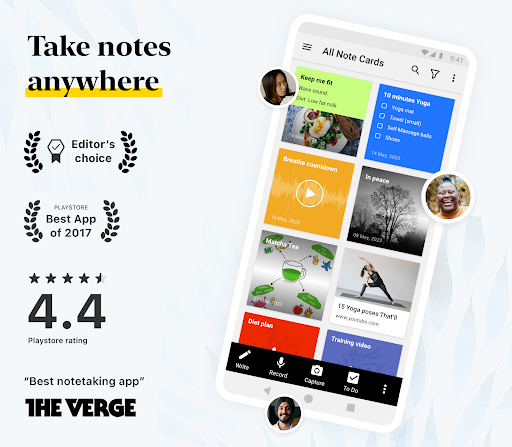
About this app
Developer Description
AI note-taking app to take notes, plan to-do lists, mind maps & transcription
Stay productive and organized with Zoho Notebook — the free note app that lets you capture, plan, and manage everything. Whether you're writing notes, creating a to-do list, setting goals, or drafting a digital diary, this smart notes app is built to match your style — now powered by Notebook AI.
"Google Play Store's Best App of 2017"
*SMART NOTE-TAKING OPTIONS*
-This is not just a simple notepad — it's your all-in-one notes app, memo app, planner, and diary app:
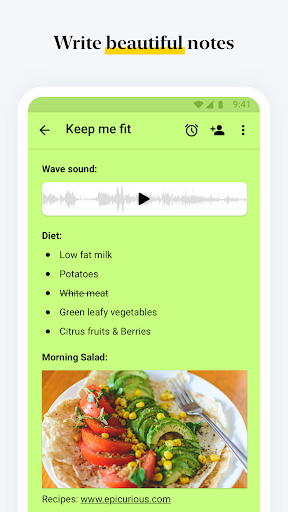
-Create rich text notes with checklists, images, and audio — all in one place
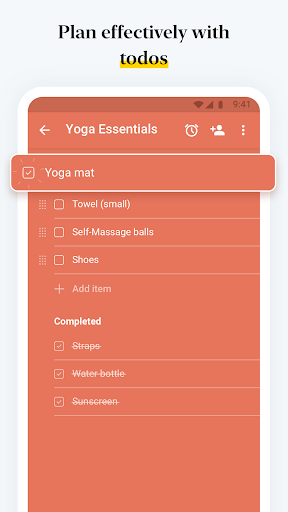
-Build dedicated checklists, to-do lists, and task trackers
-Use voice notes or convert speech to text notes
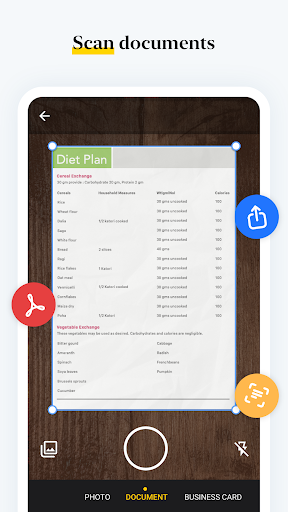
-Scan textbooks, handwritten notes, or documents into searchable PDFs
-Use the Photo Card to save memories and add images to daily notes
-Upload PDFs, Word files, and more — perfect for organizing ideas
*NOTEBOOK AI – BUILT-IN INTELLIGENCE*
-AI Notes Generator: Create summaries, outlines, or to-do lists from raw ideas instantly.
-AI Meeting Notes & Transcripts: Record or upload audio/video to get accurate, real-time transcriptions of meetings, lectures, or podcasts.
-AI Mind Map Generator: Convert long notes into clear mind maps to visualize ideas and structure your thoughts.
-AI Grammar Checker: Fix grammar, polish tone, and eliminate redundancy with smart suggestions.
-AI Note Translator: Translate your notes into multiple languages with ease.
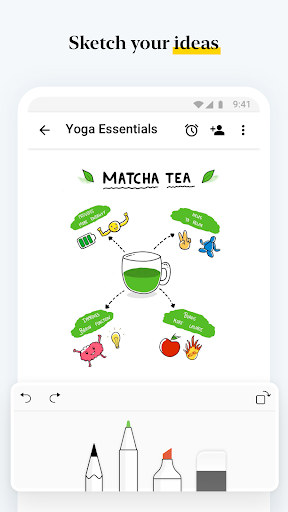
-AI Shape Recognition: Perfect rough sketches and diagrams with auto-detected shapes.
*ORGANIZE YOUR NOTES, YOUR WAY*
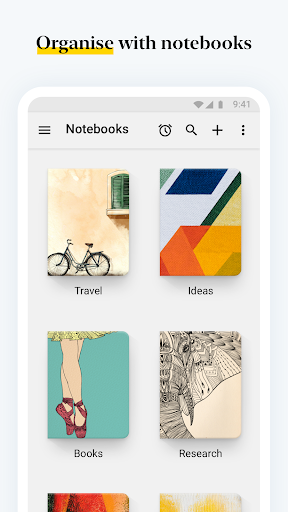
-Group notes using Nested Collections and Custom Sort
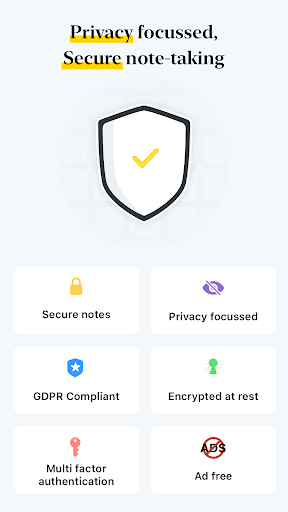
-Lock notes app: Add a passcode or fingerprint to protect sensitive info
-Add tags to categorize and organize ideas across notebooks
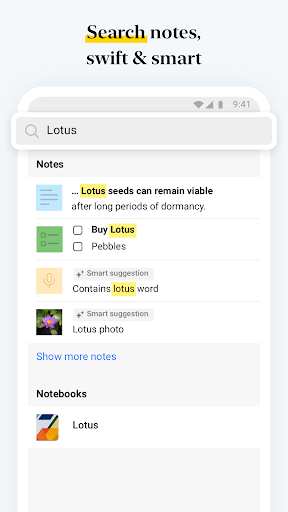
-Keep your planner, checklists, and daily notes secure and searchable
*CROSS-DEVICE ACCESS & CLOUD SYNC*
-Write anywhere — your notes sync across devices:
-Android, iOS, macOS, and Web (https://notebook.zoho.com/)
-Use the Web Clipper to save articles and research instantly
-Continue your note taking on any device, anytime
*YOUR PERSONALIZED SMART NOTES APP*
-Choose covers, themes, and note colors
-Use Sketch Card for drawing or formulas
-Use the Video Card to upload recordings and add chapter markers
-Float sticky notes with Picture-in-Picture (PiP)
-View in grid or landscape, and stay distraction-free
*SHARE & COLLABORATE WITH EASE*
-Share notes as PDFs or public links
-Collaborate via email or third-party apps
*BUILT FOR ANDROID — EXCLUSIVE FEATURES*
-Widgets: Create or view notes from your home screen without opening the app.
-Home Screen Shortcuts: Pin your favorite note or notebook directly to the home screen.
-Launcher Shortcuts: Long-press the app icon to quickly create notes or checklists.
-Quick Actions: Instantly open a note or notebook via contextual menus.
-Notification Tray Access: Open or add a note straight from the notification bar.
-Quick Settings Tile: Tap once from Quick Settings to open a new notecard.
-Multi-window Support: Use Notebook alongside other apps for seamless multitasking.
-Open Note in New Window: View a note in a separate window for better focus.
-Picture-in-Picture (PiP): Keep a note floating while using other apps.
-Keyboard Shortcuts: Use Bluetooth or USB keyboards to quickly format or navigate.
-Print Notes: Print your notes using Android’s built-in print framework.
*NOTEBOOK FOR DAILY LIFE*
-Use as your planner, task manager, or goal tracker
-Organize travel plans, events, or grocery checklists
-Maintain a secure digital journal app with a private notebook
-Add reminders to keep track of tasks and ideas
-Write diary with lock — stay secure and personal
Download Zoho Notebook — the smartest way to take notes with AI, organize your thoughts, and stay productive. From sticky notes to daily planners, it's your best note taking app.
Whether it's for class, work, or personal — it's the only note taking, diary, and checklist app you’ll ever need.
In-app purchases
$0.99 - $49.99 per item
Version Information
- Version
- -
- Downloads
- 5M+
- Updated on
- Dec 30, 2025
- Released
- May 22, 2016
- Requires
- Android Varies with device
Statistics
Google Play Rating History
Rating Distribution
Downloads Over Time
Notebook - Notes, To-Do, AI has been downloaded times. Over the past 30 days, it averaged downloads per day.
Shaded area shows 30-day prediction based on historical trends
Historical data collection started recently. More data points will be available over time.
Notebook - Notes, To-Do, AI users say on Google Play
 C H
C H
I love that they always look and icorporate what the reviews suggest. I feel like everytime I have an issue, I edit my review and they update the app! I am still sad about some of the premium stuff, but they are always offering deals and I still love the app.
 Punit
Punit
so good
 George Daly
Tried Notion and Joplin and Evernote. Prefer Zoho Notepad interface and layout. Migration from Evernote was dead slow but okay in the end. Synchronization between platforms is also slow. Windows APP & web app are best for editing. 26/12/'25 Update: Found and reported obvious deficiencies via 'Feedback'. Zoho responded by making fixes, issued update. Still waiting on others. Example: Zoho's Note Sharing link is unusable. Print & Export leaves out the note title.
 The Southwestern
Can you guys pleeeeeeease fix the sync between PC and phone. This is so annoying. Even after multiple syncing on the PC app of is still not updating on my phone, even after closong and openingg multiple times
 Rebecca Roberts Smith
I have used this app over a decade & there was so many features & now even being a prem paid user I can no longer change fonts or even change covers of my notebooks or order of my notebooks. I have reached out to support multiple times who keeps sending same generic messages to no avail I'm about to give up & find another app it's just not worth the added frustrations if it can't do the basic of what I initially got the app yrs ago to do!
ApkTrusted Ratings & Reviews
More from Zoho Corporation
See more apps
Qntrl - Workflow Management
Free

Bigin by Zoho CRM
Free

Barcode & QR Code Generator
Free

Arattai Messenger
Free
Customer App - Zoho Assist
Free

Site24x7
Free
Card Scanner - business cards
Free

Zoho Scanner–Document PDF OCR
Free
Zoho Backstage for Organizers
Free

Zoho Assist - Remote Desktop
Free
Zoho Calendar
Free

Search across Zoho- Zia Search
Free

Zoho Backstage for Attendees
Free

Authenticator App - OneAuth
Free

Zoho POS (Formerly Zakya)
Free

Business Manager by Zoho POS
Free
Similar Apps

Notion: Notes, Tasks, AI
Free
Microsoft Whiteboard
Free

Daily Planner, Bullet Journal
Free

Microsoft OneNote: Save Notes
Free

Microsoft Excel: Spreadsheets
Free
Microsoft To Do: Lists & Tasks
Free

Evernote - Note Organizer
Free

Adobe Acrobat Reader: Edit PDF
Free

ColorNote Notepad Notes
Free
Concepts: Sketch, Note, Draw
Free
Obsidian
Free

Notepad - simple notes
Free

Notewise - AI Notes, PDF, Docs
Free
Cash Book- daily expenses
Free

StarNote: Handwriting & PDF
Free

Focus Friend by Hank Green
Free
Scan this QR code to download

Forwarding you to the page at Google Play market in seconds...
Open Google Play market now