
Microsoft OneNote: Save Notes v16.0.19127.20320
Microsoft Corporation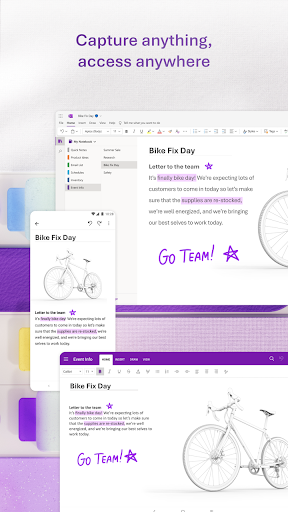


About this app
Microsoft OneNote: Save Notes is a powerful notepad app that effectively solves the problem of capturing and organizing ideas, making it an ideal solution for students, professionals, and individuals who need to take notes regularly. This app benefits users who require a robust note-taking system with features like organization and sharing, setting it apart from alternatives in the Productivity category. Compared to other note-taking apps, Microsoft OneNote stands out with its seamless integration with other Microsoft Office tools and its high user rating of 4.6/5. However, its lack of innovation in recent updates might make it fall short for users seeking more modern features.
Pros
- Microsoft OneNote boasts an impressive download number of over 500 million, indicating a high level of social proof and trust among users, which is a significant advantage for those looking for a reliable note-taking app.
- The app's high user rating of 4.6/5 is a testament to its quality and performance, suggesting that it is well-optimized for a wide range of devices and use cases.
- Developed by Microsoft Corporation, this app benefits from the reputation and resources of a major software company, ensuring regular updates and a high level of support.
- The fact that Microsoft OneNote is free to download and use, without any in-app purchases or ads, makes it an attractive option for users who want a hassle-free note-taking experience without additional costs.
- Microsoft OneNote's offline capability allows users to access and edit their notes even without an internet connection, making it a versatile tool for various environments and situations.
Cons
- One of the concerns with Microsoft OneNote is its potential lack of innovation, as some users might find the interface and features less modern compared to newer note-taking apps, which could be a drawback for those seeking the latest functionalities.
- Although Microsoft OneNote has a comprehensive set of features, some users might find the app's complexity overwhelming, especially if they are looking for a simple note-taking solution, which could lead to a steeper learning curve.
- The app's requirement for varying Android versions might lead to compatibility issues on older devices, potentially limiting its accessibility for some users who do not have the latest hardware or software updates.
- Some users have reported issues with synchronization across different devices, which could be a significant concern for those who rely on having their notes accessible across multiple platforms and devices.
Best for: The ideal user for Microsoft OneNote is likely a student or professional who regularly needs to take detailed notes, organize information, and possibly collaborate with others, valuing the app's robust features, offline capability, and integration with other Microsoft tools, and who is comfortable with a feature-rich interface that may require some time to fully master.
Developer Description
Powerful notepad to capture ideas & save notes. Easily organize & share notes
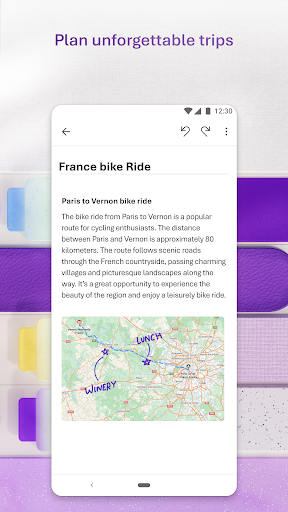
With OneNote, you can plan a big event, seize a moment of inspiration to create something new, and track your list of errands that are too important to forget. Take notes, write memos and make a digital sketchbook right on your phone. Capture pictures and add images to your notes.
Sync notes across your devices to access them anytime, anywhere. Save ideas and check your list at home, in the office, or on the go across your devices. Search your notes quickly and effortlessly.
Take notes, share ideas, organize and collaborate with Microsoft OneNote today.
Homepage & Quick Capture Bar
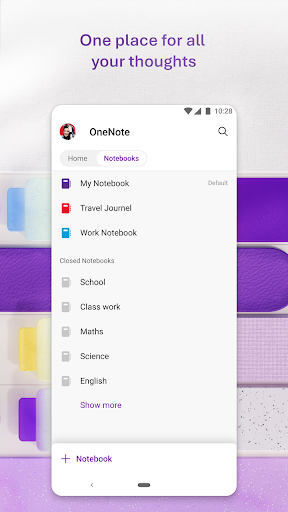
• Find all notes from your connected accounts in one place to easily create, find, & act on your notes
• Now with Samsung Notes integration
• Capture text, voice, ink or images to your notepad with Quick Capture
• Capture notes in ink. Click the pen button & write down your thoughts
Scan Pictures & Extract Text
• Notes Scanner: Scan documents, pictures, or files to extract notes
• Capture images to extract text from documents, files, & more
• Apply different filters to change colors, add ink, crop images & more
Audio Notes
• Take accurate voice notes with voice dictation
• Click the Mic button to begin recording, then click it again to end recording & save the file
• Dictate notes in 27 languages (note some languages are in preview) & use Auto-Punctutation to automatically format your notes
Capture Content & Get Organized
• Write notes, draw & clip things from the web to add to your notebook
• Use OneNote’s flexible canvas to place content anywhere you want
Take Notes & Achieve More
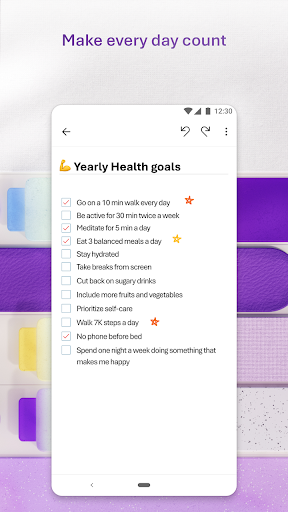
• Organize your notes using to-do lists, follow up items, marks for what’s important & custom labels
• Use OneNote as a notebook, journal or a notepad
Save Ideas At The Speed of Light
• OneNote syncs your notes across all devices & lets multiple people work on the content together, at the same time
• Notepad badge hovers on screen & lets you quickly write your thoughts down any time
• Sticky notes are helpful for quick memos
Collaborate & Share Notes
• Take meeting notes, brainstorm projects, & draw attention to important points
• Take notes & save ideas across your favorite devices, no matter what device your team likes to use
• Search your notes with a fast & powerful search function
Better Together With Microsoft Office
• OneNote is part of the Office family & works great with your favorite apps, such as Excel or Word, to help you do more
Write notes, save ideas & keep up with your to-do list with Microsoft OneNote.
You can find answers to frequently asked questions about OneNote for Android at http://aka.ms/OnenoteAndroidFAQ
Requirements:
• Requires Android OS 9.0 or later.
• A free Microsoft account is required to use OneNote.
• OneNote opens existing notebooks created in Microsoft OneNote 2010 format or later.
• To sync your notes to OneDrive for Business, sign in with your organization’s Office 365 or SharePoint account.
This app is provided either by Microsoft or a third-party app publisher and is subject to a separate privacy statement and terms and conditions. Data provided through the use of this store and this app may be accessible to Microsoft or the third-party app publisher, as applicable, and transferred to, stored and processed in the United States or any other country where Microsoft or the app publisher and their affiliates or service providers maintain facilities.
Please refer to Microsoft’s End User License Agreement (EULA) for Terms of Service for OneNote on Android. By installing the app, you agree to these terms and conditions: https://support.office.com/legal?llcc=en-us&aid=OneNoteForAndroidLicenseTerms.htm. Microsoft’s privacy statement is available at https://privacy.microsoft.com/en-us/privacystatement
Privacy
Given that Microsoft OneNote requests no permissions, it appears to be a very secure and private option for note-taking, as it does not collect any sensitive information from the user's device. However, users should still be cautious when sharing notes, especially if they contain personal or sensitive information. It's also advisable to regularly review and update the app to ensure the latest security patches are applied.
Tips
To get the most out of Microsoft OneNote, users should explore the app's organization features, such as notebooks and sections, to keep their notes tidy and easily accessible. Additionally, utilizing the search function can help quickly locate specific notes, even within a large collection. For better performance, closing unused notebooks and regularly syncing the app can help maintain its efficiency and responsiveness.
What's New
Version Information
- Version
- 16.0.19127.20320
- Downloads
- 500M+
- Updated on
- Oct 31, 2025
- Released
- Feb 7, 2012
- Requires
- Android Varies with device
Statistics
Google Play Rating History
Rating Distribution
Downloads Over Time
Microsoft OneNote: Save Notes has been downloaded times. Over the past 30 days, it averaged downloads per day.
Shaded area shows 30-day prediction based on historical trends
Historical data collection started recently. More data points will be available over time.
Microsoft OneNote: Save Notes - Google Play Rankings
Top Rankings
| Rank | Country | Category | List | Change |
|---|---|---|---|---|
| — |
Ranking History in
No ranking data available yet. Rankings are updated daily.
#75 in Top Free Productivity in United States
#47 in Top Free Productivity in Australia

#48 in Top Free Productivity in Canada


#55 in Top Free Productivity in United Kingdom
 AdBlock for Samsung Internet
Microsoft OneNote: Save Notes
AdBlock for Samsung Internet
Microsoft OneNote: Save Notes
Microsoft OneNote: Save Notes users say on Google Play
 Wilbert Lopez
amazing!!!
 Johan Steyn
It is a great app, but still lacks behind Evernote. Please make it more like Evernote. It is difficult to use in many ways. But I can no longer support Evernote, since they lied by making it free for many years and then became extremely expensive. I do not support any subscription based software. They steal your money. I will never again trust Evernote, even if they make it free again.
 Amy Ottaway
I wish it would sync our shopping lists.
 Shaun Currier
Lots of bugs and quality of life inconveniences. Syncing often screws up and leaves with with page conflicts to clean up, even though I am the only user and never work simultaneously on the same page from different devices. They really need to fix this problem as it affects both my work and personal accounts. Sharing is also difficult. A share goes to my work account, which is locked down so I can't get my data back out. What are they doing with this app? These problems have persisted for years.
 Nyssa Twoscoops Phoenix Evolution
Can't use copy/ paste on android Samsung (s24) And it's driving me nuts, wrote a review a year ago about the same thing.
ApkTrusted Ratings & Reviews
More from Microsoft Corporation
See more apps
Microsoft Authenticator
Free

Microsoft Bing Search
Free

Microsoft Azure
Free

MSN
Free

MSN Money- Stock Quotes & News
Free

MSN Weather - Forecast & Maps
Free

IoT Plug and Play
Free

Microsoft Build
Free

Microsoft Bing Webmaster Tools
Free

Link to Windows
Free

Warehouse Management
Free

Bing Wallpapers
Free

Microsoft Advertising
Free

Microsoft Identity Pass
Free

As Dusk Falls Companion App
Free

SMS Organizer
Free
Similar Apps

Evernote - Note Organizer
Free

ColorNote Notepad Notes
Free

MyScript Notes (Nebo)
Free

StarNote: Handwriting & PDF
Free
Notepad, Notes, Easy Notebook
Free

Samsung Notes
Free

UpNote - notes, diary, journal
Free
DrawNote: Drawing Notepad Memo
Free

Notion: Notes, Tasks, AI
Free

Notewise - AI Notes, PDF, Docs
Free

Miro: your visual workspace
Free

Notebook - Notes, To-Do, AI
Free
Jnotes: Note-Taking, AI, PDF
Free

Huion Note : Easy note-taking
Free
Flexcil Notes & PDF Reader
Free
Notepad - Notes、Todo、Memo
Free
Scan this QR code to download

Forwarding you to the page at Google Play market in seconds...
Open Google Play market now