Microsoft Whiteboard v1.301.0.25080505
Microsoft Corporation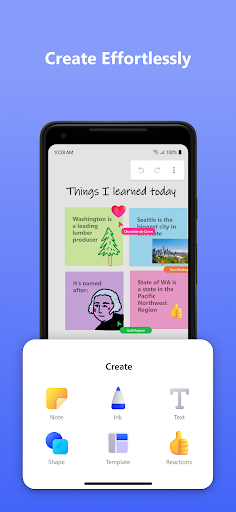




About this app
Developer Description
Whiteboard provides an intelligent canvas to create, and collaborate visually.
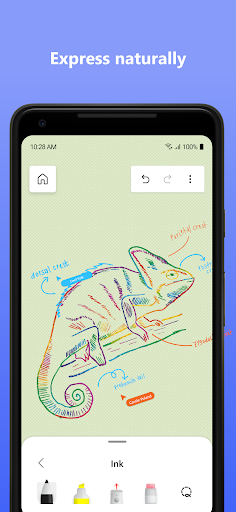
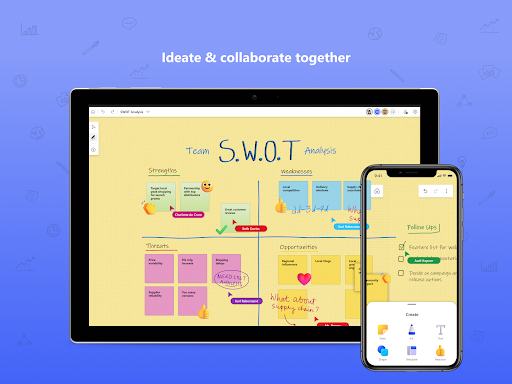
Microsoft Whiteboard provides a freeform intelligent canvas where individuals & teams alike can ideate, create, and collaborate visually via the cloud. Designed for touch, type & pen, it lets you write or draw as smoothly as you would with ink, you can even type in text, add sticky notes or notes grid to express your ideas & use reactions to visually communicate your thoughts. It enhances teamwork by allowing all team members to edit the canvas in real time, no matter where they are. Get started quickly by inserting a pre-built template or draw your own flowchart using our expansive shapes library. No matter what your use case, we have the right set of tools for you and all your work stays safe in the cloud, ready to be picked back up from another location or device.
-- Create freely, work naturally –
Microsoft Whiteboard provides an infinite canvas where imagination has room to grow: draw, type, add a sticky note or a notes grid, move them around – it’s all possible. The touch-first, interface frees your ideas from the keyboard, and the intelligent inking technology transforms your doodles into great-looking shapes and lines that can be copied, pasted and combined with other objects.
--Collaborate in real time, wherever you are—
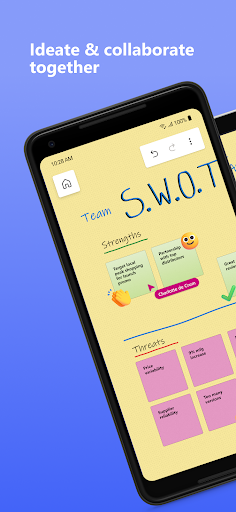
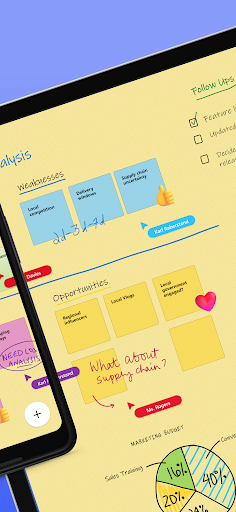
Microsoft Whiteboard brings every member of a team together working from their own devices across the globe. On the Whiteboard canvas, you can also see what your teammates are doing in real time and start collaborating on the same area. It’s about getting everyone on the same page – or board.
--Save automatically, resume seamlessly –
Forget having to take photos of your whiteboards, or marking them with “Do Not Erase.” With Microsoft Whiteboard, your brainstorming sessions are saved automatically to the Microsoft cloud, so you can pick up where you left off, whenever – and wherever – inspiration strikes next.
What’s new:
• Users can now log in using their personal (Microsoft) accounts which has been a strong customer ask since we launched the Android Preview App
• Modern look and feel:
1. Streamlined user experience - an unobtrusive app UI maximizes your canvas space.
2. Creation gallery - a highly discoverable, simple way of finding and using objects and features in the application.
• Interactive content features:
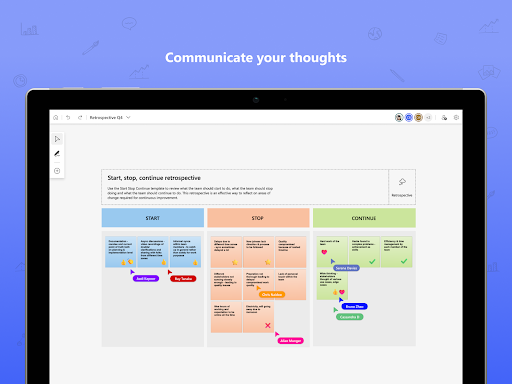
3. 40+ customizable templates – get started quickly and collaborate, brainstorm, and ideate with brand new templates.
4. Reactions - provide lightweight, contextual feedback with a set of fun reactions.
• Facilitation features:
5. Copy/paste – copy and paste content and text within the same whiteboard.
6. Object alignment – use alignment lines and object snapping to precisely organize content spatially.
7. Format background – personalize your whiteboard by changing the background color and pattern .
• Inking features:
8. Ink arrows – smoothly draw single and double-sided arrows using ink to better facilitate diagramming.
9. Ink effect pens – express yourself in a creative way using rainbow and galaxy ink.
Dichiarazione di accessibilità: https://www.microsoft.com/it-it/accessibility/declarations
What's New
1. App user interface update for tablets.
2. Expanded reaction sticker set for tablets.
3. Canvas object duplication functionality from object menu.
4. Eraser size increase based on erase velocity (applicable when point eraser is selected).
Version Information
- Version
- 1.301.0.25080505
- Downloads
- 5M+
- Updated on
- Aug 19, 2025
- Released
- Mar 4, 2021
- Requires
- Android 8.1
Statistics
Google Play Rating History
Rating Distribution
Downloads Over Time
Microsoft Whiteboard has been downloaded times. Over the past 30 days, it averaged downloads per day.
Shaded area shows 30-day prediction based on historical trends
Historical data collection started recently. More data points will be available over time.
Microsoft Whiteboard users say on Google Play
 Dr Khanzada Nadeem
Microsoft Whiteboard is a game-changer for collaboration and creativity! I gave it 5 stars because it truly deserves it. Whether I'm brainstorming ideas, planning projects, or teaching concepts, Whiteboard makes everything feel intuitive and seamless. The real-time collaboration is smooth—even across devices—and the infinite canvas gives me the freedom to think without limits. I especially love how easy it is to draw, insert sticky notes, and organize thoughts visually. It’s perfect for teams.
 ripe
ripe
this app is probably the best ive come across so far and ive been using it for everything. however, i do wish the panning system was alittle more convient and customizable key binds were an option. also, folders would be great for organizing my notes instead of being all over the place. other than that, pretty good.
 Ryan Felton
Too many separate products to keep track of. This should just be a feature within Teams or within OneNote. I have to hire a dang 'Digital Products Consultant'
 Amina Chikhou
it's simple and I like how infinite it is. but lately, the past few days, it has been non stop LAGGING. writing stops every few minutes for like 30 seconds, constantly. and sometimes it randomly closes the app. also I don't know why it needs me to log in every time I open the app, no other Microsoft app does that and it's really annoying.
 firefix
super laggy don't recommend
ApkTrusted Ratings & Reviews
More from Microsoft Corporation
See more apps
Microsoft Authenticator
Free

Microsoft Bing Search
Free

Microsoft Azure
Free

MSN
Free

MSN Money- Stock Quotes & News
Free

MSN Weather - Forecast & Maps
Free

IoT Plug and Play
Free

Microsoft Build
Free

Microsoft Bing Webmaster Tools
Free

Link to Windows
Free

Warehouse Management
Free

Bing Wallpapers
Free

Microsoft Advertising
Free

Microsoft Identity Pass
Free

As Dusk Falls Companion App
Free

SMS Organizer
Free
Similar Apps

Notebook - Notes, To-Do, AI
Free

StarNote: Handwriting & PDF
Free

Noteshelf 3: Digital Notes
Free

Notion: Notes, Tasks, AI
Free
Jnotes: Note-Taking, AI, PDF
Free

Notewise - AI Notes, PDF, Docs
Free
DrawNote: Drawing Notepad Memo
Free

Squid: Take Notes, Markup PDFs
Free
Kilonotes-Notes & Mark up PDF
Free

Infinite Painter
Free

Concepts: Sketch, Note, Draw
Free

Miro: your visual workspace
Free
Obsidian
Free

Tayasui Sketches
Free

Huion Note : Easy note-taking
Free

MyScript Notes (Nebo)
Free
Scan this QR code to download

Forwarding you to the page at Google Play market in seconds...
Open Google Play market now