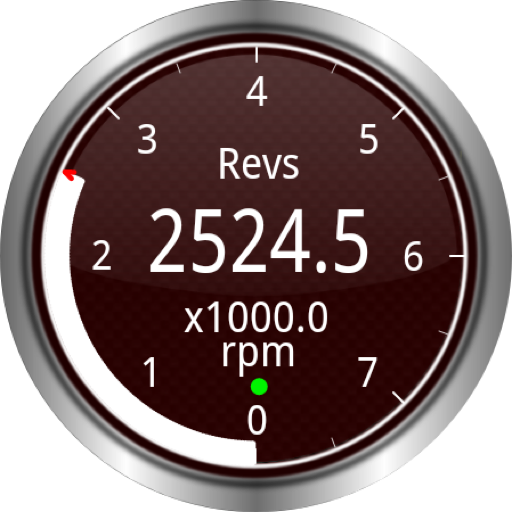
Widgets for Torque (OBD / Car) v2.2.8
Ian Hawkins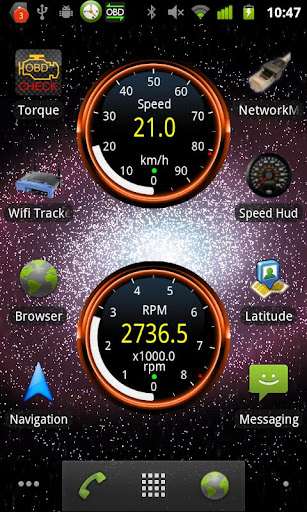
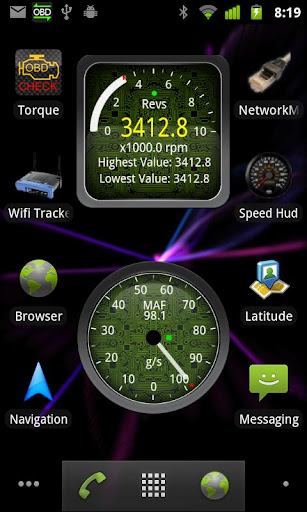

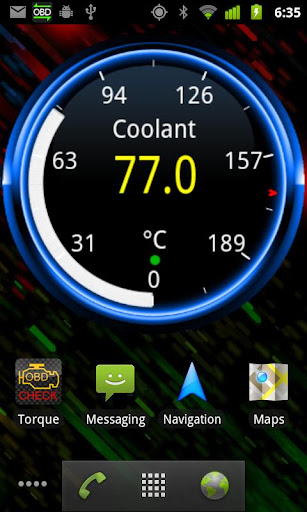
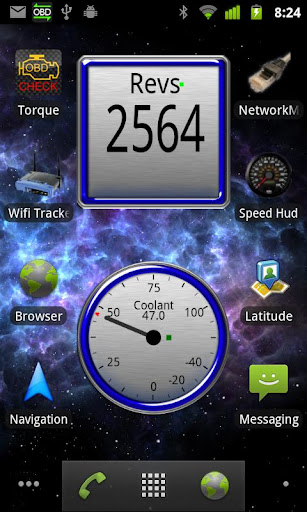
About this app
Widgets for Torque (OBD / Car) solves the problem of accessing OBD 2 and other car data directly from the homescreen, benefiting car enthusiasts and drivers who want to monitor their vehicle's performance. Compared to alternatives in the Maps And Navigation category, this app stands out for its specialized focus on car data, but falls short in terms of overall ratings and user reviews. The app's simplicity and lack of permissions requests are notable advantages, but its limited features and mixed user reviews are areas for improvement. Overall, the app's unique functionality and low price point make it a niche option for car enthusiasts.
Pros
- The app's ability to display OBD 2 and other car data in widgets on the homescreen is a unique and convenient feature that sets it apart from other navigation apps.
- The app's low price point of $2.39 and lack of in-app purchases or ads make it a affordable and non-intrusive option for users.
- The app's developer, Ian Hawkins, has a reputation for creating specialized car-related apps, which suggests a level of expertise and attention to detail.
- The app's small size and lack of permissions requests suggest that it is a lightweight and secure option for users.
- The app's compatibility with Android 4.1 and above makes it accessible to a wide range of devices and users.
Cons
- The app's mixed user reviews and low overall rating of 3.1/5 suggest that some users may experience issues or be dissatisfied with the app's performance or features.
- The app's limited features and lack of updates may make it less appealing to users who are looking for a more comprehensive navigation or car monitoring app.
- Some users may be concerned about the app's potential impact on their device's battery life or performance, although the app's small size and lack of permissions requests suggest that this may not be a significant issue.
- The app's developer email and website may not be easily accessible or responsive to user feedback or concerns, which could be a drawback for some users.
Best for: The ideal user for this app is a car enthusiast or driver who wants to monitor their vehicle's performance and access OBD 2 data directly from their homescreen, and is willing to pay a small fee for a specialized and convenient app that meets their needs.
Developer Description
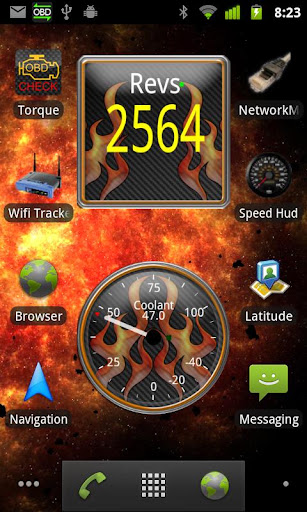
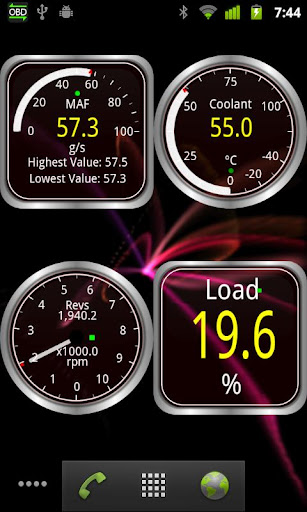
Show OBD 2 and other car data in widgets on your homescreen!
This is an add-on for Torque Pro, the OBD2 car app for monitoring your vehicle engine management data. You can find Torque on the Android Market
It lets you display the various dials and widgets from the app on your android homescreen! Monitor all the standard OBD2 sensors as you can in the app such as coolant, RPM/Revs, Transmission temperature*, knock retard*, MPG, HP and Torque!
For example, you could have a trip fuel cost widget displayed on your homescreen, showing your total trips fuel cost (perfect for when your kids are using dads taxi!)
There is an on / off toggle widget that you can also add which will pause the homescreen widget updates and to control the startup of Torque itself. Turn the widget off, Torque will shutdown, turn the widget on and Torque will start up automatically.
This widget needs the Torque OBD app, and will automatically start Torque to run in the background as a service (the app has been optimised to be very power efficient). It will then automatically connect to your vehicle when you start a journey and start showing information!
Supports phones, tablets, and tablets running honeycomb
Please note: Using launchers like ADWLauncher/TouchWiz may result in slow updates of the widget, the developers of those launchers will need to fix their code so it can update the widget faster. Works fast with the default launcher that comes with Android
* = capability dependant on vehicle.
Privacy
Since the app requests no permissions, users can be confident that their data and device are not being accessed or compromised. However, users should still be cautious when downloading and installing apps from unknown sources, and should always review the app's terms and conditions and privacy policy before use. Additionally, users should be aware that the app's developer may still collect anonymous data or crash reports to improve the app's performance and functionality.
Tips
To get the most out of this app, users should first ensure that their device is compatible with the app and that they have a working OBD 2 connection. Users can then customize the app's widgets to display the data that is most important to them, such as engine speed or fuel level. Additionally, users can experiment with different widget sizes and layouts to find the configuration that works best for their homescreen.
What's New
* More updates to fix android 12 issues
* Partial workaround missing functionality in Android homescreen apps
Version Information
- Version
- 2.2.8
- Downloads
- 10K+
- Updated on
- Jan 30, 2022
- Released
- Sep 25, 2011
- Requires
- Android 4.1
Statistics
Google Play Rating History
Rating Distribution
Downloads Over Time
Widgets for Torque (OBD / Car) has been downloaded times. Over the past 30 days, it averaged downloads per day.
Shaded area shows 30-day prediction based on historical trends
Historical data collection started recently. More data points will be available over time.
Widgets for Torque (OBD / Car) - Google Play Rankings
Top Rankings
| Rank | Country | Category | List | Change |
|---|---|---|---|---|
| — |
Ranking History in
No ranking data available yet. Rankings are updated daily.
#14 in Top Paid Maps And Navigation in United States


#22 in Top Paid Maps And Navigation in Pakistan

#22 in Top Paid Maps And Navigation in Mexico
#22 in Top Paid Maps And Navigation in India
Widgets for Torque (OBD / Car) users say on Google Play
 A Google user
Thank you so much for tiny widget. Just what I needed.
A Google user
I use this app daily, only thing that's missing is the ability to have graph widgets, as I found these to be the most accurate for things such as boost and afr
A Google user
Great add-on for Torque users when the widgets work. Sadly, they commonly freeze.
A Google user
With china tablet and china elm bluetooth adapter. Ppl who are giving bad reviews have no ideea what are talking about LE: Since the latest (4-6) updates on the main app, the widgets are freezing data from time to time, even while car engine is working and obd connection to ecu is enabled. Also on short trip breaks (car engine stopped) from 5 seconds to 5 minutes or more the data on widgets also freezes and the toggle on/off widget must be activated in order to get live data again. Unfortunately, this resets the trips data collected so far (avg speed, trip consumption ... etc) I wish there were more options rather than just to toggle data reading on/off ... for instance: option to reset trip readings (manually, rather than auto as it is now), option to set the break times bigger than 10 minutes as it is now ... option to reset each widgets collected data so far by long pres on the specific dial (for ex: long time average fuel consumption can only be reset by going in the main app ... which takes to much time) This used to be a great app for me, I also have the pro torque installed, but now it's just a source of great anointment, when all the data on widgets is frozen ..
A Google user
Torque itself is an excellent app, although it seems to be somewhat abandoned as far as development is concerned. Strange there is not a HONDA Civic specific PID addon yet ... But Torque Widgets brought my Head unit to a grinding stuttering halt, as soon as I installed it. I had not even got to set any widgets up on my Home Screen !! Touch response on the screen was VERY lagged, and MP3 player stuttered as it played. Animation in other apps became jerky. As soon as figured out it was Torque Widgets doing this (some 5 hours later of messing with the head unit) and I uninstalled Torque Widgets APP, everything returned to normal. Reasonably modern Px5 Unit, Android 8, 4 Gigs Ram, 8 core - did not expect this performance hit with Torque Widgets :( Would very much prefer this was fixed, vs getting a refund.
ApkTrusted Ratings & Reviews
More from Ian Hawkins
See more apps
Similar Apps

Carista OBD2
Free

MRZ Scanner - PRO
Paid

OBDocker - OBD2 Car Scanner
Free
OBD Fusion (Car Diagnostics)
Paid

RepairSolutions2
Free
ScanMaster for ELM327 OBD-2
Free
AUTOsist Fleet Maintenance App
Free

Auto Agent
Free

FIXD OBD2 Scanner
Free

Harley-Davidson
Free

xHP Flashtool
Free

Elton - The EV charging app
Free
EOBD Facile: OBD 2 Car Scanner
Free

BimmerCode for BMW and MINI
Free

Car Scanner ELM OBD2
Free

Guideline
Free
Scan this QR code to download

Forwarding you to the page at Google Play market in seconds...
Open Google Play market now