deVStudio v25.04.18
UserLAnd Technologies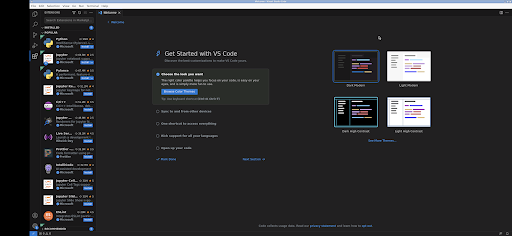


About this app
Developer Description
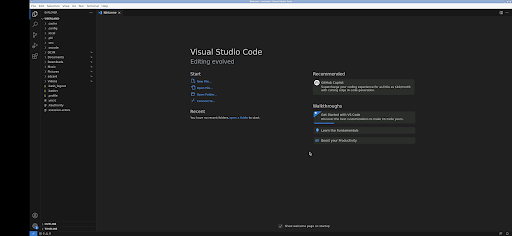
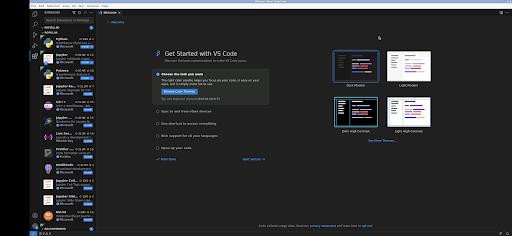
deVStudio - Runs Visual Studio Code on Android
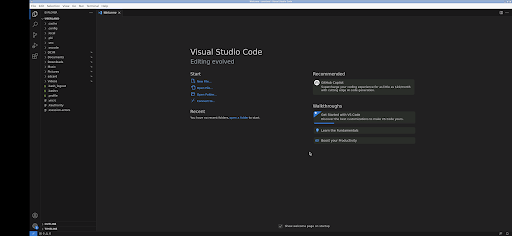
Note: This is currently a very minimal install. So you have to add some packages and extensions based on your need.
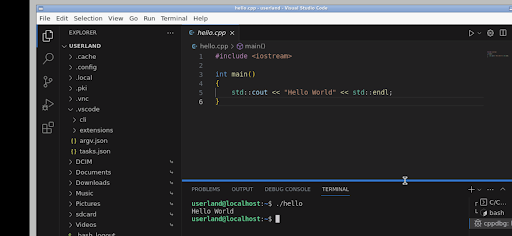
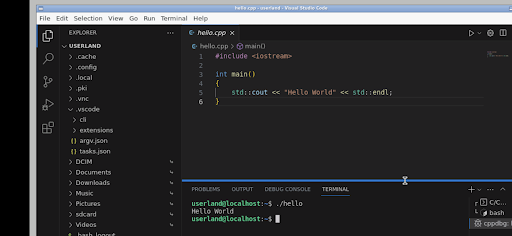
For example if you wanted to do C++ development you would do the following:
1) in the termal: sudo apt install build-essential gdb
2) in vscode: install the C++ extension
3) have fun
Versions already setup for certain development flows will be added in the future.
About Visual Studio Code:
Visual Studio Code, also commonly referred to as VS Code, is a source-code editor made by Microsoft. Features include support for debugging, syntax highlighting, intelligent code completion, snippets, code refactoring, and embedded Git. Users can change the theme, keyboard shortcuts, preferences, and install extensions that add functionality.
You can read more about it here: https://code.visualstudio.com/
How to use this deVStudio Android app:
When using the graphical interface, use vscode just like normal. But here are some specifics to the Android interface.
* Tap with one figure to left click.
* Move mouse by sliding around one finger.
* Pinch to zoom.
* Press and hold and then slide one finger to pan (useful when zoomed in).
* Slide two fingers up and down to scroll.
* If you want to bring up a keyboard, tap on the screen to get a set of icons to appear and then click the keyboard icon.
* If you want to do the equivalent to a right click, tap with two fingers.
* If you want to change the desktop scaling, find the service android notification and click the settings. You have to stop and restart the app after changing this settings for it to take effect.
This is all easier to do on a tablet and with a stylus, but it can be done on a phone or using your finger as well.
To access files from the rest of Android, there are many useful links in your home directory (/home/userland) to places like your Documents, Pictures, etc. No need to import or export files.
If you don't want to, or cannot pay the cost of this app, you can run vscode via the UserLAnd app by installing all the necessary packages etc.
Licensing:
This app is released under the GPLv3. The source code can be found here:
https://github.com/CypherpunkArmory/deVStudio
The icon is provided via the Creative Commons Attribution Share-Alike 3.0 Unported (CC-by-sa) from the Document Foundation.
This app is not created by the vscode development team. Instead it is a application that allows the Linux version to run on Android.
What's New
Those files can be accessed from the Visual Studio Code file browser at /sdcard/
For example, /sdcard/Documents will be your Android Documents directory
Version Information
- Version
- 25.04.18
- Downloads
- 1K+
- Updated on
- Apr 18, 2025
- Released
- Aug 29, 2023
- Requires
- Android 5.0
Statistics
Google Play Rating History
Rating Distribution
Downloads Over Time
deVStudio has been downloaded times. Over the past 30 days, it averaged downloads per day.
Shaded area shows 30-day prediction based on historical trends
Historical data collection started recently. More data points will be available over time.
deVStudio - Google Play Rankings
Top Rankings
| Rank | Country | Category | List | Change |
|---|---|---|---|---|
| — |
Ranking History in
No ranking data available yet. Rankings are updated daily.
#100 in Top Paid Tools in United States
 EasyMSR
deVStudio
EasyMSR
deVStudio
deVStudio users say on Google Play
 Figers B
Impressive, can actually install the necessary C# extensions... this makes the Samsung DEX a real programming environment, hope the dev packages a web browser like Chromium in it so we can easily login to Microsoft Azure and github.
 L S
L S
I wish tell dev fix illigal status issue deVStudio has entered an illegal state! Bad state transition: [IncorrectSession Transition (event=SessionSelected(session=Session(id=1, name=devstudio, filesystemId=1, filesystemName=apps, active=false, serviceType=vnc, port=2022, pid=0, isAppsSession=true), isProtected=false), state=DownloadingAssets(numCompleted=1, numTotal=2))] We are working to resolve these issues. You can let us know about this issue on Github if you'd like to help! Now working :)
 Roman Perrin
Nice simple Linux distro with simple ui. How do you change the scaling, I don't want to change the resolution. I was ready to compile it for android smh this saved me the hussle. How is VS code not compiled for android?!
 Hans Harmon
This is pretty close to working, closest vscode on android/Dex, but has some pretty large bugs that make it almost unusable. When editing a file '5' is generating a 'backspace' and '6' is doing a 'tab'. There are a few places inside of the vscode where this happens, but it very consistant in any text file, making it unusable. The terminal, in vscode, locks up making it also unusable at times. The other xterm works well. Saving auto-scale (and other perferences) would be nice.
 Solomon Ayofemi Moses
Just like code server. I need Ubuntu and what is here is Debian. It's just wasted money buying this app. it doesn't show files that are already on my phone before when i open the folder except the one i created with it. It's not user friendly
ApkTrusted Ratings & Reviews
More from UserLAnd Technologies
See more apps
BirdBox
Paid

UserLAnd - Linux on Android
Free

OG Munchers - Munch Numbers
Paid

FoxBox
Paid

OG Carmen - Stop VILE Agents
Paid

Octave
Paid

OG Arcade - 150+ Retro Games
Paid

IDLE - Develop with Python
Paid
CraftBox
Free

LibreDocs
Paid

Inky - Run Inkscape on Android
Paid

GIMP
Paid

OG Quest
Paid
gnuplot
Paid

OG Fighter
Paid

Andacious
Paid
Similar Apps

Lib of Dev (Open Source)
Free

Code Studio
Free

Cyberpunk Red Companion
Free
Learn C++
Free

Wix Studio
Free
Hermit — Lite Apps Browser
Free

Manufacturing Engineering Pro
Free

Ajax PRO: Tool For Engineers
Free

Enki: Learn to code
Free
Coding Python
Free

Lumo by Proton
Free

AWS Console
Free

CompTIA Security+ Prep 2026
Free

CircuitMess Playground
Free

Tattoo AI Design Generator INK
Paid

Jupiter Mobile - Solana Wallet
Free
Scan this QR code to download

Forwarding you to the page at Google Play market in seconds...
Open Google Play market now