LibreDocs v25.04.18
UserLAnd Technologies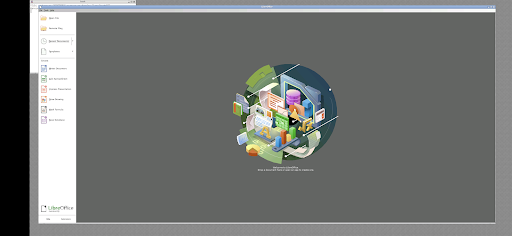


About this app
Developer Description
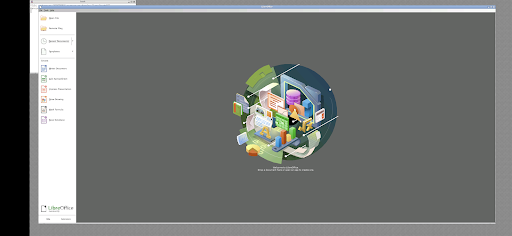
LibreDocs - Run LibreOffice on Android
About LibreOffice:
Open source productivity software. Includes the following capabilities:
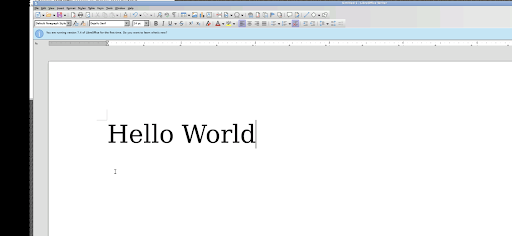
Writer:
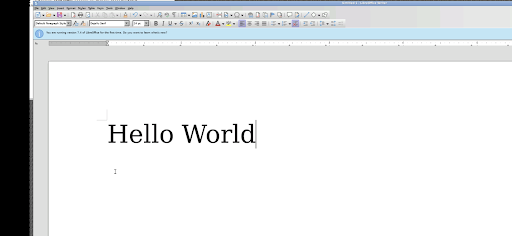
A word processor with similar functionality and file support to Microsoft Word or WordPerfect. It has extensive WYSIWYG word processing capabilities, but can also be used as a basic text editor. It can also create fillable forms via PDF or the Forms tab.
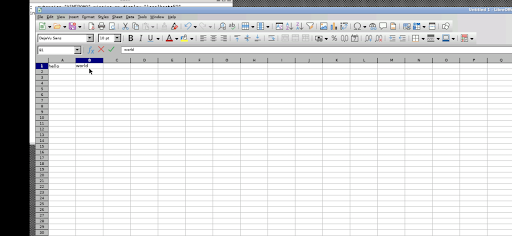
Calc:
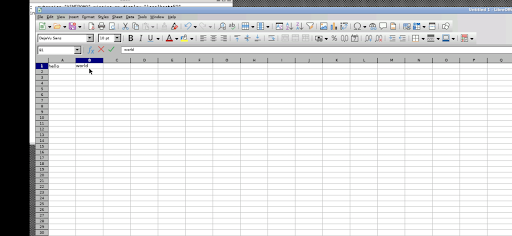
A spreadsheet program, similar to Microsoft Excel or Lotus 1-2-3. It has several unique features, including a system which automatically defines series of graphs, based on information available to the user.
Impress:
A presentation program resembling Microsoft PowerPoint. Impress has support for multiple file formats including PPTX, ODP, and SXI.
Draw:
A vector graphics editor, raster graphics editor, and diagramming tool similar to Microsoft Visio, CorelDRAW, and Adobe Photoshop. It provides connectors between shapes, which are available in a range of line styles and facilitate building drawings such as flowcharts. It also includes features similar to desktop publishing software such as Scribus and Microsoft Publisher, but the features are not on par with desktop publishing software. It can also act as a PDF file editor.
Math:
An application designed for creating and editing mathematical formulae. The application uses a variant of XML for creating formulas, as defined in the OpenDocument specification. These formulas can be incorporated into other documents in the LibreOffice suite, such as those created by Writer or Calc, by embedding the formulas into the document.
Base:
A database management program, similar to Microsoft Access. LibreOffice Base allows databases to be created and managed, and the generation of forms and reports of database content. Like Access, it can be used to create small embedded databases that are stored with the document files (using Java-based HSQLDB and C++ based Firebird as its storage engine), and for more demanding tasks it can also be used as a front-end for various database management systems, including Access Database Engine (ACE/JET), ODBC/JDBC data sources, and MySQL, MariaDB, PostgreSQL and Microsoft Access.
You can read more about it here: https://www.libreoffice.org/
How to use this LibreDocs Android app:
When using the graphical interface, use LibreOffice just like normal. But here are some specifics to the Android interface.
* Tap with one figure to left click.
* Move mouse by sliding around one finger.
* Pinch to zoom.
* Press and hold and then slide one finger to pan (useful when zoomed in).
* Slide two fingers up and down to scroll.
* If you want to bring up a keyboard, tap on the screen to get a set of icons to appear and then click the keyboard icon.
* If you want to do the equivalent to a right click, tap with two fingers.
* If you want to change the desktop scaling, find the service android notification and click the settings. You have to stop and restart the app after changing this settings for it to take effect.
This is all easier to do on a tablet and with a stylus, but it can be done on a phone or using your finger as well.
To access files from the rest of Android, there are many useful links in your home directory (/home/userland) to places like your Documents, Pictures, etc. No need to import or export files.
If you don't want to, or cannot pay the cost of this app, you can run LibreOffice via the UserLAnd app.
Licensing:
This app is released under the GPLv3. The source code can be found here:
https://github.com/CypherpunkArmory/LibreDocs
The icon is provided via the Creative Commons Attribution Share-Alike 3.0 Unported (CC-by-sa) from the Document Foundation.
This app is not created by the main LibreOffice development team. Instead it is an adaptation that allows the Linux version to run on Android.
What's New
Those files can be accessed from the LibreOffice file browser at /sdcard/
For example, /sdcard/Documents will be your Android Documents directory
Version Information
- Version
- 25.04.18
- Downloads
- 500+
- Updated on
- Apr 18, 2025
- Released
- Aug 24, 2023
- Requires
- Android 5.0
Statistics
Google Play Rating History
Rating Distribution
Downloads Over Time
LibreDocs has been downloaded times. Over the past 30 days, it averaged downloads per day.
Shaded area shows 30-day prediction based on historical trends
Historical data collection started recently. More data points will be available over time.
LibreDocs users say on Google Play
 Doug Tate
I'm new to this one but so far no problem works great for me so being a newbie won't be a problem keep it up guys
 Van Devil
Do the job well from my tablet. The panning, zooming and scrolling is awkward. Can you add some way to install fonts from this app?
 Scott Hahn
Seemed good and all, but the native resolution was far to high to be useful. 2x scaling made the interface navigable, but the resultant loss of quality in the app's appearance made it unpleasant to work in. So I uninstalled it. Too late to get a refund, though, unfortunately.
 James Claypool
The good: app runs LibreOffice on Android. The bad: it runs it as a desktop application; the menus, buttons, fonts,etc, are tiny. You can zoom in to see them but cannot move the zoomed in view around so that you can see anything. Overall: a nice try perhaps, but a flawed execution. I use a Zfold3, so have plenty of screen room--this app does not make effective use of it.
 Daniel Scott
Why did I have to pay for a piece of free and open source software? Does TDF know youre selling a copy of their software? It is highly frowned upon to sell software under MPL 2.0
ApkTrusted Ratings & Reviews
More from UserLAnd Technologies
See more apps
BirdBox
Paid

UserLAnd - Linux on Android
Free

OG Munchers - Munch Numbers
Paid

FoxBox
Paid

OG Carmen - Stop VILE Agents
Paid
Octave
Paid

OG Arcade - 150+ Retro Games
Paid

IDLE - Develop with Python
Paid
deVStudio
Paid

CraftBox
Free
Inky - Run Inkscape on Android
Paid

GIMP
Paid
gnuplot
Paid

OG Quest
Paid

OG Fighter
Paid

Andacious
Paid
Similar Apps
Direct Energy Account Manager
Free
Farm Your Yard: Gardening App
Free

EPA 608 Exam Prep & HVAC Test
Free

Lib of Dev (Open Source)
Free
Square Invoices Beta
Free

Square Appointments Beta
Free

BeenVerified Background Search
Free
JobNimbus: All-In-One Roof App
Free
MoeGo: Pet Business Suite
Free

Maintenance By EliseAI
Free

Cooper's Hawk
Free

SDFCU Digital Banking
Free

Threat-Watch
Free

Immortal Craft Barber Lounge
Free
Fergus Go
Free

My Verizon For Business
Free
Scan this QR code to download

Forwarding you to the page at Google Play market in seconds...
Open Google Play market now