
ASUS Phone Clone v5.46.102.18
Mobile, ASUSTek Computer Inc.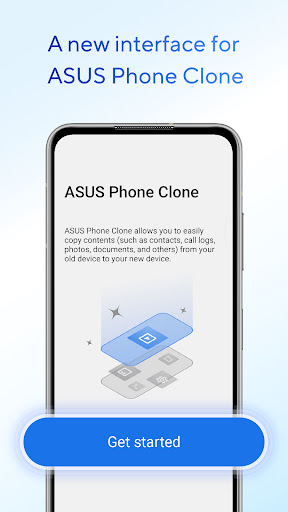
About this app
Developer Description
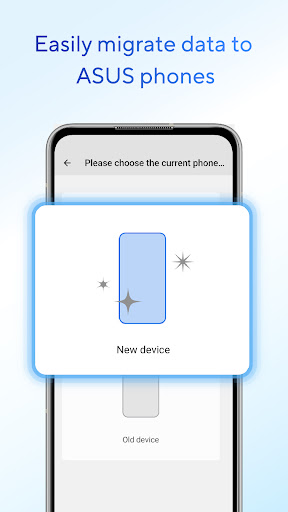
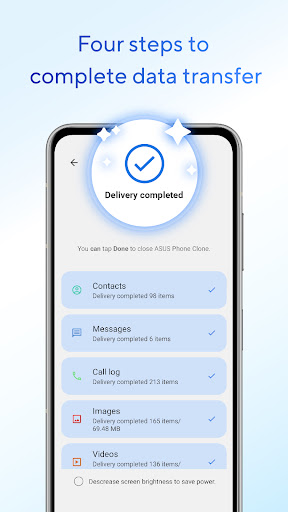
Move content from your old phone to ASUS phone! Easy, fast and no data costs!
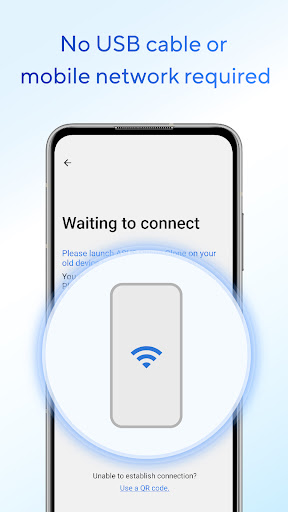
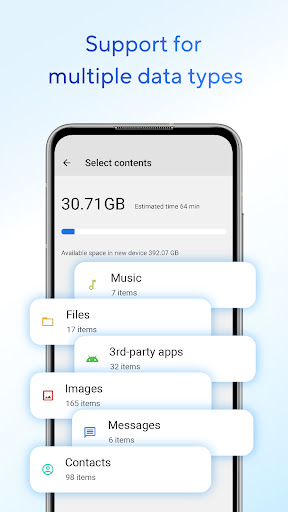
You can transfer contacts, call logs, text messages, photos, videos, music, compressed files, files, and applications without preparing a USB cable or mobile network; if your old mobile phone is an ASUS phone, you can also transfer application data and system application settings, etc.
Note
#1: The data transfer supported by different system versions and models may be different. ZenFone mobile phones with stock AOSP operating system are not supported, such as: ZenFone Max Pro, ZenFone Max Pro M2, ZenFone Live L1, ZenFone Live L2, etc.
#2: If you have any questions or suggestions during use, please go to the ZenTalk forum to give feedback.
#3: Please make sure to update or install the latest version to experience the complete functions of ASUS Phone Clone.
Latest version: 5.40.93.16
What's New
- Performance enhancement
Version Information
- Version
- 5.46.102.18
- Downloads
- 10M+
- Updated on
- Sep 30, 2025
- Released
- Apr 15, 2018
- Requires
- Android 6.0
Statistics
Google Play Rating History
Rating Distribution
Downloads Over Time
ASUS Phone Clone has been downloaded times. Over the past 30 days, it averaged downloads per day.
Shaded area shows 30-day prediction based on historical trends
Historical data collection started recently. More data points will be available over time.
ASUS Phone Clone users say on Google Play
 Julieta Solayao
Awesome
 R H
R H
After I connected i realized I couldn't use cable but it did connect by Wi-Fi. The first time I transferred from SAMSUNG A71 I didn't get my call history but everything else like apps came over to the new Asus Zenfone 9. I tried a second attempt later to transfer just the text messages, contacts and call history and it copied perfectly. It just took 30 to 45 minutes. But I have a lot of data. After reading bad reviews I was quite pleasantly surprised with the functionality
 Christopher jorge marcelo Carlos
Good
 Alemayehu Ts.
OK
 CJ Yam
Literally doesn't work. Regardless its Auto, QR code or manual input, simply cannot connect the 2 devices. The worst thing is that Google doesnt even have solution. I'm appalled.
ApkTrusted Ratings & Reviews
More from Mobile, ASUSTek Computer Inc.
See more apps


Similar Apps

OPPO Clone Phone
Free

Send Anywhere (File Transfer)
Free

EasyShare
Free

Data Transfer
Free

Transfer All Data - PhoneClone
Free

Phone Clone Tool: Switch data
Free

Data Transfer - MobileTrans
Free

AT&T Personal Cloud
Free

Swift Backup
Free

Smart Transfer: File Sharing
Free

Samsung Smart Switch Mobile
Free

Shortcut Maker
Free
NetSpeed Indicator
Free

Quikshort: Shortcut Creator
Free

OnePlus Community
Free

Quick Share: File Transfer
Paid
Scan this QR code to download

Forwarding you to the page at Google Play market in seconds...
Open Google Play market now