
Root Browser v4.1.0(44124)
Maple Media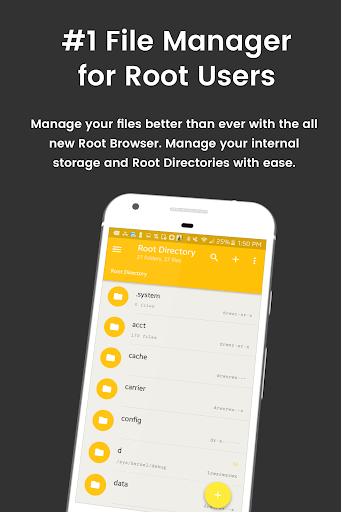
About this app
Developer Description
Powerful simple and customizable File Manager and Root Browser for superusers
- Access all Root Directories: Explore & access all of your Android's root directories & subdirectories with this advanced root browser
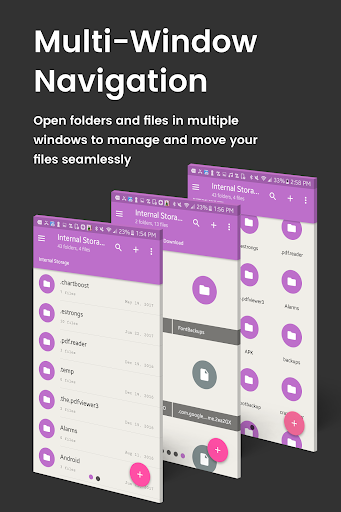
- Advanced Root Browser Features: Advanced features include a SQLite Database Editor, APK Analyzer, multi-pane navigation, ability to execute script files, ability to install zip files using clockwork recovery, and change file permissions and ownerships
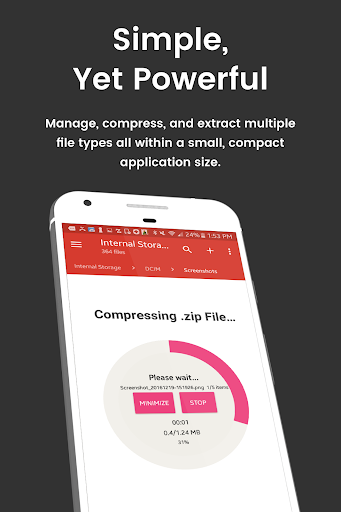
- Advanced File Manager & File Explorer Features: This fully featured file explorer will transfer content, copy and paste, compress, extract ZIP, RAR, BIN, TAR, JAR & APK files, unzip, delete, and move files between local drive, external storage and cloud storage
- Cloud Storage: Now access your stored files and transfer files on Box, Dropbox, Google Drive, One Drive
- External File Manager: Access and transfer files, storage backup, USB Flash Drive manager, on the go support
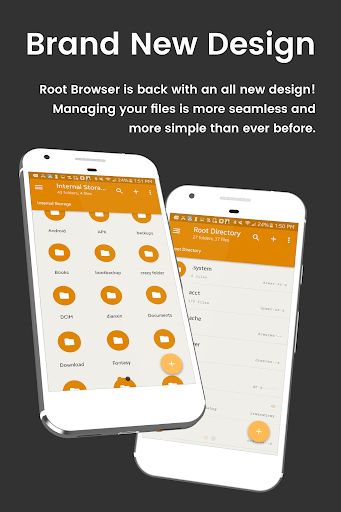
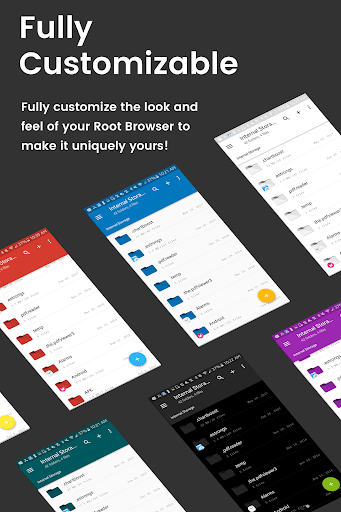
- Fully Customizable: Root Browser prides itself on offering users with a fully customizable experience including custom colors, themes, icons and file / view layout
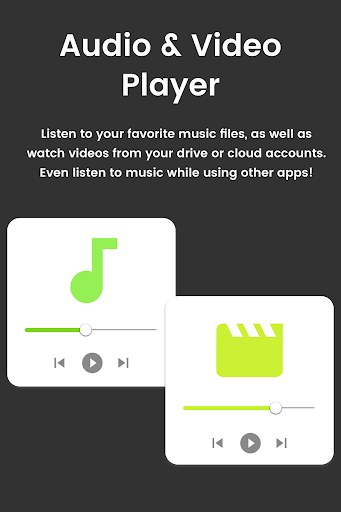
- Audio Manager & Music Player: File manager for mp3 files, ringtone manager
- Video Player Manage and watch your favorite video files
- App Manager: Delete apps, manage app storage
- Organize your Android: File Explorer Root Browser allows users to have full control over all device files. Search and access any file in your system directory, sort by name size & date, create, move, copy/paste, transfer (external transfer) and delete any file
- Share your Files: Cloud storage integration to transfer files between external storage and on-the-go devices. Send files by email to easily share with your contacts.
File Explorer Root Explorer Features List:
- Multi-Pane Navigation
- SQLite Database Editor
- Custom File Listing View
- APK Analyzer
- Batch copy/paste, zip, tar, delete, move any file or folder
- External file transfer
- Access APK, RAR, JAR, TAR & ZIP files apk, rar, jar, tar & zip files
- Audio Player
- Video Player
- Cloud Storage Integration
- Change file permissions and ownership
- View and edit any file
- sqlite explorer
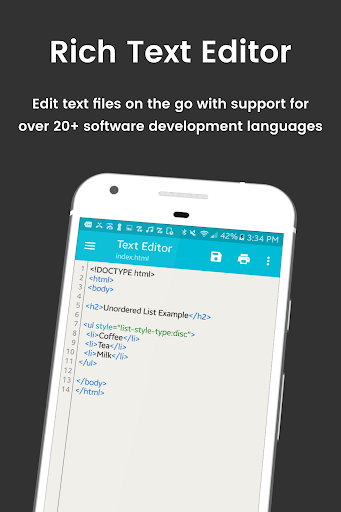
- Text editor
- Move, copy, rename, and delete files.
- Create and delete directories (folders).
- Send files by email.
- Add new files & folders in any directory
- Install zip files using clockwork recovery
- Execute script files
- Show list of files with thumbnails for images.
- Bookmark any folder
- Open files and folders with other apps
- Change the theme (double tap home button)
- Sort by name, size & date
- Extract single files from zip/apks/jars
- Search for files or folders
⚡️⚡️Looking for our classic Root Browser? ➡️ http://bit.ly/RootBrowserClassic
For fast and friendly support, please email us at contact@maplemedia.io. We will be glad to help answer all of your questions and troubleshoot with you.
What's New
- Small but significant changes for app optimization and improved performance.
Thank you for using File Explorer Root Browser! Questions? Drop us a line at contact@maplemedia.io
In-app purchases
$0.99 - $1.99 per item
Version Information
- Version
- 4.1.0(44124)
- Downloads
- 10M+
- Updated on
- May 5, 2025
- Released
- Oct 23, 2011
- Requires
- Android 5.0
Statistics
Google Play Rating History
Rating Distribution
Downloads Over Time
Root Browser has been downloaded times. Over the past 30 days, it averaged downloads per day.
Shaded area shows 30-day prediction based on historical trends
Historical data collection started recently. More data points will be available over time.
Root Browser users say on Google Play
 chandrashekhar wankhade
I purchased this to remove the add. Still the app is showing ads i am very disappointed. Please refund if u r not ok with purchase . Updated on 26Oct2025. Almost 09 Years Later this one is still the best file browser on Play Store. Also my problem has been solved by the developer.
 venykrid
It's fine enough if you pay to remove ads
 Arron Wadi
100 ft anaconda here cover up beware
 Steve
Steve
Can't change permissions and is riddled with ads. Did not deliver.
 okman45
Download at your own risk. After I gave it total access to everything on my phone it started showing ad after ad never letting me navigate to the menu or stop the ads long enough to even use it. Also it installed hidden files on my phone that I had to manually remove. I will probably spend a hour to remove the app entirely, I only had the app on my phone for 10 minutes.
ApkTrusted Ratings & Reviews
More from Maple Media
See more apps
Wind Compass
Free

ROM Installer
Free

Spider Solitaire Classic
Free

Blackjack 21
Free

FreeCell Solitaire Classic
Free

BusyBox for Android
Free

Solitaire Klondike classic.
Free

Root Check
Free

ROM Toolbox Lite
Free

Calorie Counter App: Fooducate
Free

Super Simple Shopping List
Free

Pic Stitch: Collage Maker
Free

ROM Toolbox Pro
Paid

Podkicker Podcast Player
Free

Boot Animations for Superuser
Free

Root Browser Classic
Free
Similar Apps

Explorer
Free

Super File Manager Explorer
Free

Total Commander - file manager
Free

ASTRO File Manager & Cleaner
Free

Swift Backup
Free

Storage Analyzer & Disk Usage
Free

AppDash: App Manager & Backup
Free

RoboForm Password Manager
Free

TAP Kiln Control Mobile
Free

nzb360 - Media Server Manager
Free

OONI Probe
Free

Thunderbird Beta for Testers
Free

UserLAnd - Linux on Android
Free

UltData: Photo & Data Recovery
Free

Enpass Password Manager
Free

Building Tools
Free
Scan this QR code to download

Forwarding you to the page at Google Play market in seconds...
Open Google Play market now