OneSync: Autosync for OneDrive vVARY
MetaCtrl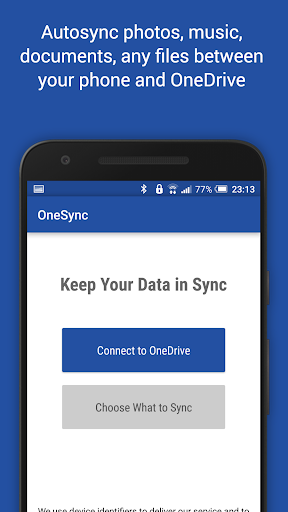




About this app
Developer Description
File sync and backup for Android and OneDrive
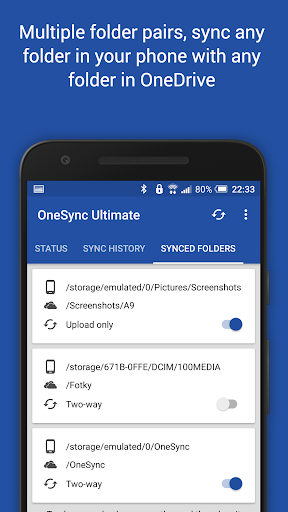
New files in your cloud account are automatically downloaded onto your device. New files in your device are uploaded. If you delete a file on one side, it will be deleted on the other side. It works across multiple devices (your phone and your tablet). If their folders are synced with the same cloud account, they will be kept in sync with each other.
This is how OneDrive works on computers but not on Android. Two-way automatic synchronization should be an essential function of the official app. For whatever reason, it is not the case. OneSync is here to fill the gap.
All file transfers and communications between user devices and cloud storage servers are securely encrypted and do not go through our servers. No outsiders will be able to decrypt, see or modify any file contents.
MAIN FEATURES
• Full two-way automatic synchronization of files and folders
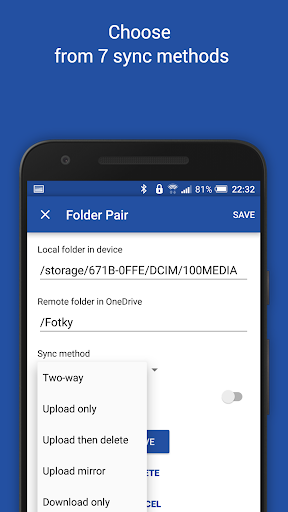
• Many sync modes. Not only two-way, you can also choose Upload only, Upload then delete, Download only, Download mirror,...
• Very efficient, consumes almost no battery
• Easy to set up. Once set up files will be kept in sync without any effort from users
• Works reliably under ever changing network conditions on your phone
• Monitors battery level, WiFi/3G/4G/LTE connectivity and adapts its behavior according to user preferences
• Configurable autosync interval: 15 minutes, 30 minutes, every hour,...
If you like this app, please consider upgrading to premium version. By doing so you support the development efforts and get access to premium features. You can upgrade via in-app purchase.
PREMIUM FEATURES
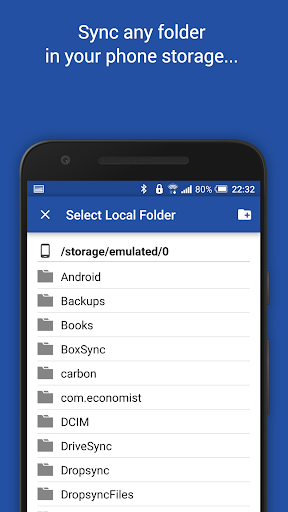
• Sync multiple pairs of folders
• Upload files larger than 10 MB
• Sync your entire cloud account with a folder in your device
• Sync with multiple accounts
• Sync with SharePoint sites
• Protect app settings with passcode
• No ads displayed in the app
• Email support by developer
SUPPORT
Please check out our website (http://metactrl.com/) for more information about the app, including User's Guide (http://metactrl.com/userguide/) and FAQ (http://metactrl.com/faq/). If you run into any issues or have suggestions for improvements, don't hesitate to email us at onesync@metactrl.com. We will do our best to assist you.
What's New
If you like our app, please give it a nice 5-star rating. If you run into issues or have questions, don't hesitate to email us at onesync@metactrl.com. We'll follow up.
In-app purchases
$1.99 - $9.99 per item
Version Information
- Version
- -
- Downloads
- 1M+
- Updated on
- Dec 21, 2025
- Released
- Jul 23, 2015
- Requires
- Android Varies with device
Statistics
Google Play Rating History
Rating Distribution
Downloads Over Time
OneSync: Autosync for OneDrive has been downloaded times. Over the past 30 days, it averaged downloads per day.
Shaded area shows 30-day prediction based on historical trends
Historical data collection started recently. More data points will be available over time.
OneSync: Autosync for OneDrive users say on Google Play
 Jonathan Diederiks
Reliable, non intrusive, just works, best I've used.
 Yung Armando
PLEASE ADD THIS FEATURE! Can you please add a feature where if it doesn't sync one file it'll atleast push on to the next one. Special characters like æß vç AND ESPECIALLY JAPANESE CHARACTERS and a million others won't sync and will cancel the whole thing. And then when it's done just show the ones that couldn't sync PLEASE!!!!!
 boss ayub
off
 Jason Gottschalk
Author is unresponsive. Basics features missing like sync to folders by year, month, and date. Auto sync does not work at all. Must click "Sync" to get daily activity sync'd. Has promise, but not ready for mainstream.
 Todd Simmons
Used this app for years. It was great until about a day or two ago. Now it won't sync and it just says network error. No other apps are having network errors. Tried rebooting my phone and still won't work. Update I contacted support, sent them my logs as per their request. It's been over a week and no update on the issue. Not even a "try this" and see if it works. No response whatsoever after they asked for the logs.
ApkTrusted Ratings & Reviews
More from MetaCtrl
See more apps


Similar Apps
DAVx⁵ – CalDAV CardDAV WebDAV
Paid

MobiDrive Cloud Storage & Sync
Free

AT&T Personal Cloud
Free

Boxer - Workspace ONE
Free

AppDash: App Manager & Backup
Free

ASTRO File Manager & Cleaner
Free

Content - Workspace ONE
Free

Aegis Authenticator - 2FA App
Free

WeTransfer : File Transfer
Free

Samsung My Files
Free

Mattermost
Free

Jira Cloud by Atlassian
Free

Dropbox: Secure Cloud Storage
Free

Ares Dark Icon Pack
Paid

Swift Backup
Free

Foxcolab - Secure Messenger
Paid
Scan this QR code to download

Forwarding you to the page at Google Play market in seconds...
Open Google Play market now