
Autosync - File Sync & Backup vVARY
MetaCtrl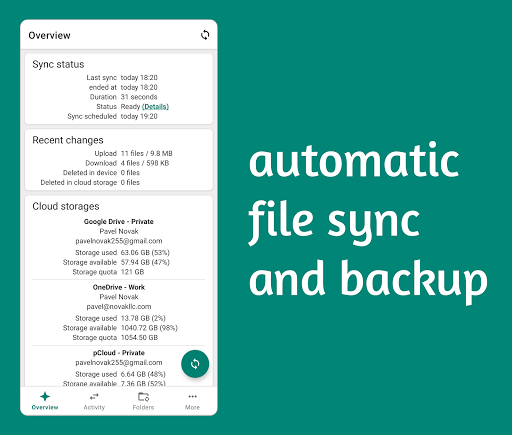


About this app
Developer Description
Universal file sync and backup tool for cloud storages and NAS devices
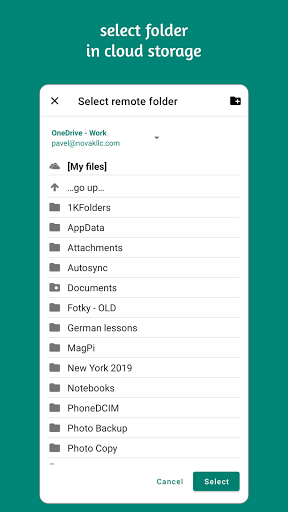
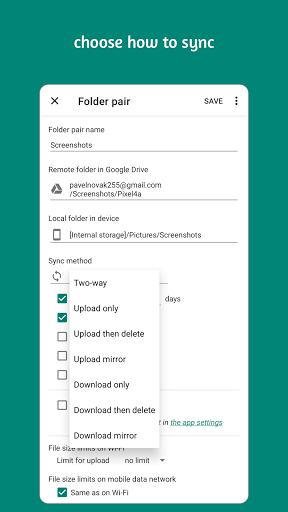
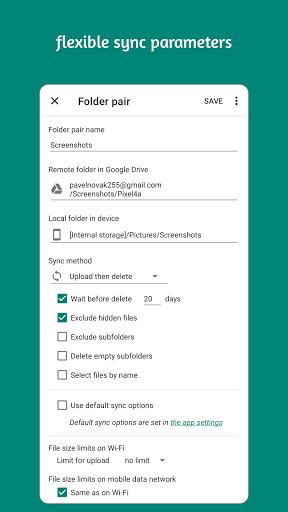
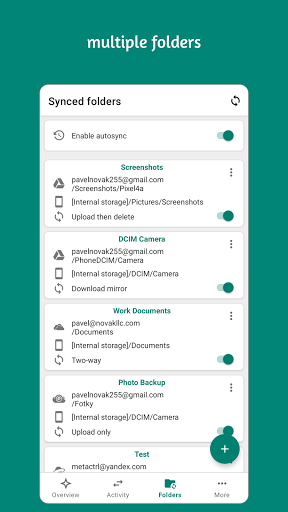
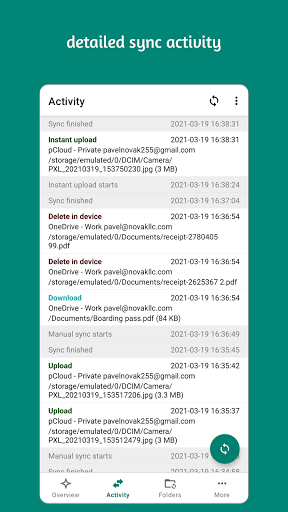
Autosync is an automatic file sync and backup tool. You choose which folder in your device should be synced with which folder in your cloud storage account, and how. Autosync will then keep files in these two folders in sync with each other, automatically and without any additional efforts from the user.
The official cloud storage apps don't have automatic sync capabilities, or only to a very limited extent. The commonly offered automatic photo upload might suffice for simple photo backup but not for keeping photos on multiple devices synchronized. If you want automatic file sync between your device and your cloud storage, you need this app.
Autosync can be configured to do automatic file sharing between your devices, to back up selected folders in your phone to your cloud storage, or to make backup copies of important document folders in your cloud storage and save them in your device for offline use. These are a few examples of what you can accomplish with automatic file sync.
All file transfers and communication between user devices and cloud storage servers are securely encrypted and do not go through our servers. Outsiders, including us, will not be able to decrypt and hence see or modify any file contents.
Supported storage services and protocols:
• Google Drive
• OneDrive
• SharePoint Online
• Dropbox
• Box
• MEGA
• Nextcloud
• ownCloud
• pCloud
• Yandex Disk
• WebDAV
• FTP
• SFTP (ssh/scp)
• LAN/SMB network drives
If your cloud storage is not on the list, please check if it supports WebDAV protocol. WebDAV is widely supported by many storage service vendors.
LAN/SMB network drives are supported by Windows/Mac/Linux computers and NAS devices. This app can sync with them via local network.
Support
• Website: https://metactrl.com/autosync/
• Email: autosync@metactrl.com (please use English)
-----
This "Autosync Universal" app supports multiple cloud storage services in a single app. Users who use only one cloud storage may prefer one of our single-cloud "Autosync for ..." apps. They are smaller, have fewer features but are simpler and easier to use than this all-in-one app.
What's New
If you like our app, please give it a nice 5-star rating. If you run into issues or have questions, don't hesitate to email us at autosync@metactrl.com. We'll follow up.
In-app purchases
$2.99 - $9.99 per item
Version Information
- Version
- -
- Downloads
- 100K+
- Updated on
- Dec 21, 2025
- Released
- Apr 1, 2021
- Requires
- Android Varies with device
Statistics
Google Play Rating History
Rating Distribution
Downloads Over Time
Autosync - File Sync & Backup has been downloaded times. Over the past 30 days, it averaged downloads per day.
Shaded area shows 30-day prediction based on historical trends
Historical data collection started recently. More data points will be available over time.
Autosync - File Sync & Backup users say on Google Play
 Micha Petty
I'm not someone who just clicks "Rate US" prompts and gives out 5⭐️ ratings for free. Apps have to earn it. This one does. I have used all the major sync apps, and the developer's care and attention are evident throughout this one. There are a few more tweaks that would be nice (e.g., granular exclusion criteria), but this one does better than the rest.
 Ali Moussa
wish the pricing method would be different
 DA H
DA H
I find this incredibly misleading: "This "Autosync Universal" app supports multiple cloud storage services in a single app. Users who use only one cloud storage may prefer one of our single-cloud "Autosync for ..." apps." yet when I look at buying the app I'm offered £9.99 for the single Autosync for Mega, not the entire suite as the quoted paragraph states. It appears that to purchase all storage options I have to pay £3.99 a month, £48 a year, which is utterly ridiculous. Otherwise good app.
 Badum
Badum
9.99€ for one feature or 3.99€/month is a rip-off. This won't scale.
 J V
J V
I tried testing this app for a local smb and it always stated login failed no matter what. I then realized that it doesn't work unless you buy it. It looked interesting but man what a pita. Just use the file manager to move your files.
ApkTrusted Ratings & Reviews
More from MetaCtrl
See more apps



Similar Apps

Swift Backup
Free

nzb360 - Media Server Manager
Free

Nextcloud
Free

Storage Analyzer & Disk Usage
Free

fileee - No more paperwork
Free

Total Commander - file manager
Free

MobiDrive Cloud Storage & Sync
Free

Super File Manager Explorer
Free

Explorer
Free

Thunderbird Beta for Testers
Free

GSMArena
Free

pCloud: Cloud Storage
Free

ASTRO File Manager & Cleaner
Free

fooView - FV Float Viewer
Free

DAVx⁵ – CalDAV CardDAV WebDAV
Paid

RealVNC Viewer: Remote Desktop
Free
Scan this QR code to download

Forwarding you to the page at Google Play market in seconds...
Open Google Play market now