Calendar Pro for Wear OS v6.2.1
Thomas Otero






About this app
Developer Description
A customizable calendar for your Wear OS watch
App Features
• The next 12 months of events are synced to your watch
• Add, edit, and delete events using your watch
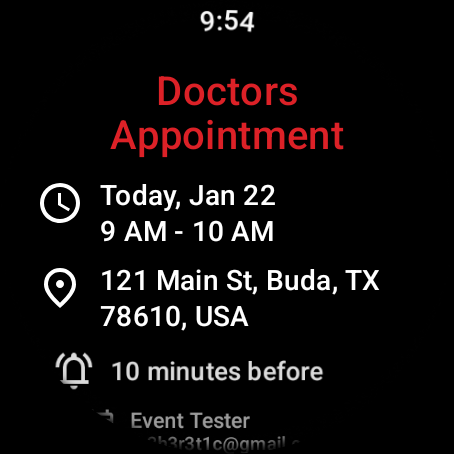
• View details about event
• Customizable month calendar with event indicators
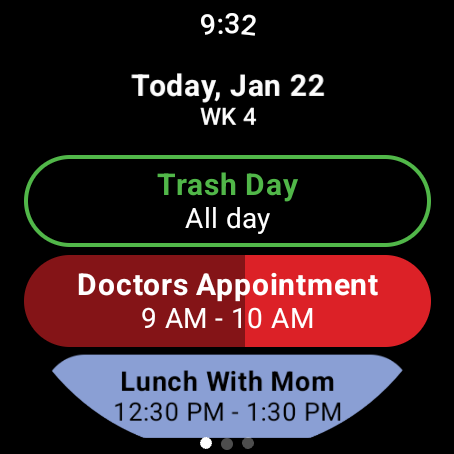
• Customizable Agenda
• Month calendar Tile with event indicators
• Agenda Tile
• Week Tile
• Next Event Tile
• Next Event watch complication
• Multiple theme colors
• Support for Google calendar, Outlook calendar [¹], Samsung calendar[²], DAVx⁵, and ICSx⁵
• No subscription! One price unlocks all features
Month Calendar & Tile Customizations
• Background colors
• Month/Year format and color
• Today indicator styling
• Per day of week styling
• Show calendar weeks with style
• Event indicator shape
• Scaling options
Agenda Customizations
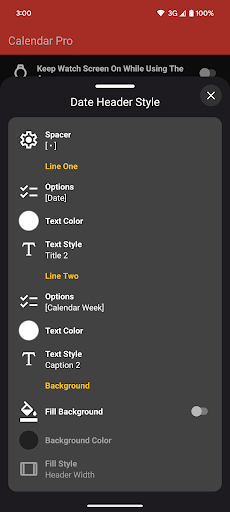
• Multiple date header styles
• Options for calendar week and in days
• Date header text color and background color
• Multiple text style for event chips
• Dim finished events today
• Show progress as background for currently ongoing events
• Cross out finished events today
• Outline all-day events
Next Event Complication
• Support for short and long text complications
• Hide/Show Icon
• Select what to show on title and text sections of the complication
• Select which calendars to show
• Can show currently ongoing events, next event today, and future events
• Set what happens when tapping the complication
Agenda Tile
• Shows up to 6 events[³]
• Text style options
• Shows currently ongoing events, next events today and future events
This app requires that BOTH the watch app and phone app be installed!
[1] Outlook app must be installed and Sync calendars must be toggled on in the Outlook app settings.
[2] Samsung calendar only supported on Samsung phones.
[3] Depending on font scale size and selected options.
What's New
* Events can now be searched
* Improved sync
* Fixed crash
Version Information
- Version
- 6.2.1
- Downloads
- 5K+
- Updated on
- Jan 13, 2026
- Released
- Dec 27, 2021
- Requires
- Android Varies with device
Statistics
Google Play Rating History
Rating Distribution
Downloads Over Time
Calendar Pro for Wear OS has been downloaded times. Over the past 30 days, it averaged downloads per day.
Shaded area shows 30-day prediction based on historical trends
Historical data collection started recently. More data points will be available over time.
Calendar Pro for Wear OS - Google Play Rankings
Top Rankings
| Rank | Country | Category | List | Change |
|---|---|---|---|---|
| — |
Ranking History in
No ranking data available yet. Rankings are updated daily.
#59 in Top Paid Productivity in United States


#28 in Top Paid Productivity in United Kingdom

#43 in Top Paid Productivity in Germany

#70 in Top Paid Productivity in Argentina
Calendar Pro for Wear OS users say on Google Play
 Brent Franker
UPDATE: I emailed developer and he added this feature and it's freaking GREAT! Nobody else has this and it's fantastic!-----How do I show calendar events/appointments earlier on face? My problem is that the "default" long calendar text on my watch doesn't show my upcoming appointments/events until it's too late! For example, I don't have many appointments. If I have a 7am appointment on the 21st of the month, I'd like to see this on my watch on the 20th... not at 8am when I wake up on the 21st!
 N K
N K
Pretty good, compared to the standard Samsung thing. What I'm missing is just one of those widget thingies that shows upcoming events for the next like 6 days or so? There is just one full calender one (which is actually pretty neat and customizable) and one for only "today's events"
 David S. Krantz
Good app except for one annoying flaw. When notifications are displayed, the "X" to dismiss the notification doesn't work--even when pressed multiple times. So there is no way to get rid of notifications, except to snooze it until it pops up again in a few minutes. Please fix this annoying flaw and I'd rate this app 4 or 5 stars.
 indianaken 7
It's fine if you have one calendar linked to your gmail/ or want to show one calendar. But once you try to include multiple calendars/labels, some start disappearing and not showing. I communicated the bug on XDA and awaiting reply, hope it gets fixed because I do actually like the app.
 Ric Vo
unable to finish setup on my phone Google Pixel 9 with pixel watch
ApkTrusted Ratings & Reviews
More from Thomas Otero
See more apps



Similar Apps

Joylux Menopausal Health App
Free

Unified Care+
Free

Timeshifter Jet Lag
Free
St. Cloud Live StormTRACKER
Free

Nothing Pomodoro Timer
Paid
Sunrise and Sunset Times
Free
DigiCal Calendar Agenda
Free
SmartWOD Timer - WOD timer
Free

Progressive Pomo: Focus Timer
Paid
Alarm Clock
Free
SupaTask - Daily Planner, Todo
Free
Rivercast - River Levels App
Free

Elite HRV: Wellness & Fitness
Free

Heima - Chores Tracker
Free

JobNimbus: All-In-One Roof App
Free
DAVx⁵ – CalDAV CardDAV WebDAV
Paid
Scan this QR code to download

Forwarding you to the page at Google Play market in seconds...
Open Google Play market now