SuperDisplay - Virtual Monitor v1.2.25
Coffee & Work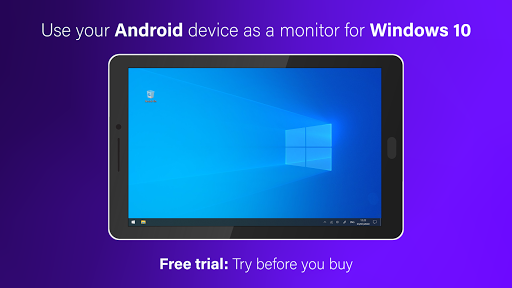



About this app
Developer Description
Turn your device into a portable USB display and graphics tablet for Windows 10
Here's how to get started:
① Download SuperDisplay from Google Play.
② Download the Windows driver from https://superdisplay.app
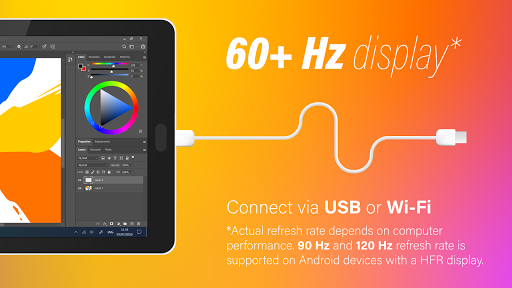
③ Connect your device to your PC via USB or Wi-Fi.
Second monitor
SuperDisplay turns your Android device into a portable USB display for your Windows 10 PC. Duplicate or extend your screen simply by plugging in your phone or tablet.
Superb performance
A laggy display is as good as no display. SuperDisplay was built with performance in mind, and we’re not afraid to show it. SuperDisplay works at 60 fps for the optimal drawing and mirroring experience. Try the app for free to see for yourself.
Pressure-sensitivity
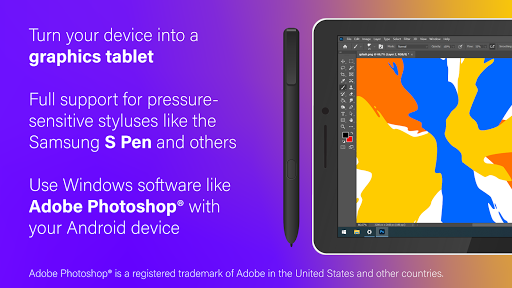
Turn your Android device into a graphics tablet and use apps like Adobe Photoshop® through it. SuperDisplay supports pressure-sensitive styluses like the Samsung S Pen making it ideal for digital art and other creative work.
Adobe Photoshop® is a registered trademark of Adobe in the United States and other countries.
What's New
In-app purchases
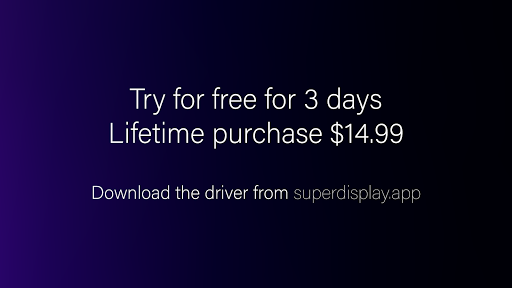
$14.99 per item
Version Information
- Version
- 1.2.25
- Downloads
- 1M+
- Updated on
- Oct 17, 2025
- Released
- Jan 7, 2020
- Requires
- Android 5.0
Statistics
Google Play Rating History
Rating Distribution
Downloads Over Time
SuperDisplay - Virtual Monitor has been downloaded times. Over the past 30 days, it averaged downloads per day.
Shaded area shows 30-day prediction based on historical trends
Historical data collection started recently. More data points will be available over time.
SuperDisplay - Virtual Monitor - Google Play Rankings
Top Rankings
| Rank | Country | Category | List | Change |
|---|---|---|---|---|
| — |
Ranking History in
No ranking data available yet. Rankings are updated daily.
#64 in Top Grossing Productivity in South Korea

#72 in Top Grossing Productivity in Poland

#78 in Top Grossing Productivity in Italy
#80 in Top Grossing Productivity in Turkey


SuperDisplay - Virtual Monitor users say on Google Play
 Victor N
I'm so excited that this worked so easily. Activate developer options, enable USB debugging, connect phone (Fold 7) to laptop via USB, download and run Superdisplay driver on latop, and viola! You'll need to play around with the display settings to fully utilize the Fold 7 screen. Very impressive. No qualms on paying for it! Well done guys!
 Adam Reece
The app's primary functionality is outstanding. Over both USB (even 2.0) and Wi-Fi 5 the display quality is outstanding, even at 90 Hz. Significantly better than default casting options. VERY worth the price. The "power user" like UI for selecting an IP address could be improved. A key downside is that the paid license requires a perpetual online connection for verification, which means you can't use this app while offline or LAN only. This rigid dependency puts ownership and "buy" into doubt.
 John Mckay
great app works amazing but I've purchased the full version and now it wants me to purchase it again. hope this gets fixed.
 Grey
Grey
Says you get a free three day trial when entering the app and when I attempt to use the it, the app just prompts me to pay and disconnects me from my computer. I've never used this app before. The app description also doesn't state that this is a paid service, falsely alluding that it's free. Try Sunshine/Moonlight or Spacedesk instead, they at least function correctly and are up front about their cost or lack thereof.
 Joana S
it used to work perfectly fine and suddenly it wont connect to my laptop anymore. it keeps on giving me the pop up "an error has occurred". tried every solution I could find on the internet.
ApkTrusted Ratings & Reviews
Similar Apps

spacedesk - USB Display for PC
Free
Computer Launcher Pro
Free

Taskbar
Free

One Emulator for Game Consoles
Free
Square Home
Free
PENUP – Drawing-sharing SNS
Free
Lenovo
Free
Elgato Stream Deck Mobile
Free

Windows App
Free

Link to Windows
Free

TeamViewer Remote Control
Free

ADW Launcher 2
Free

RealVNC Viewer: Remote Desktop
Free

AIO Launcher
Free
UserLAnd - Linux on Android
Free
Floating Apps (multitasking)
Free
Scan this QR code to download

Forwarding you to the page at Google Play market in seconds...
Open Google Play market now