
Sketch Box Pro (Easy Drawing) vVARY
Colabox.NET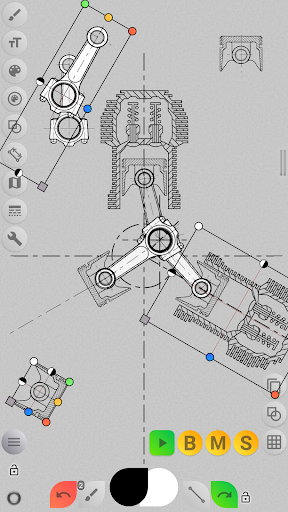


About this app
Developer Description
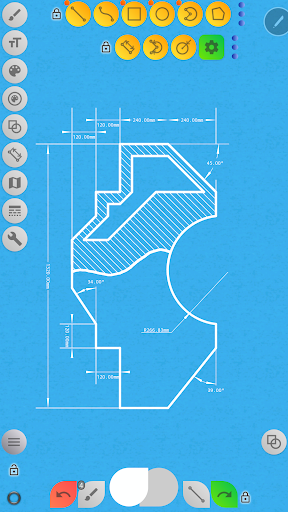
All in one sketching tool. Technical and General drawing. Online Maps support.
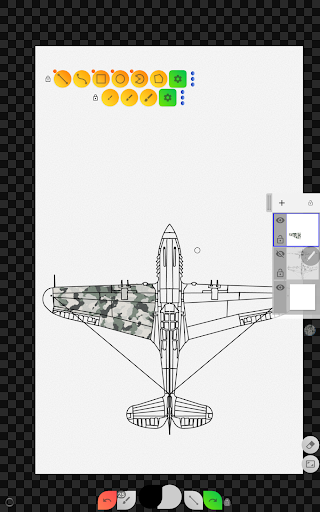
Easy to use lightweight sketching and drawing tool covering wide range of requirements including technical drawings (alternative to vector CAD systems), general sketching, Online maps support, interactive map tools.
Most of existing on market tools for drawing are oriented either for traditional or general drawing either for technical drawing, last automatically means that tool expected to be a vector graphic tool. As alternative to this, Sketch Box provides smooth combination of two mentioned approaches, powered by traditional drawing applications tools and by futures of CAD systems.
Do you remember time when engineers use real paper and pencil for work :)? Sketch Box its something similar, always with you in your pocket, ready to help you to fix instantaneous ideas and decisions.
NEW:
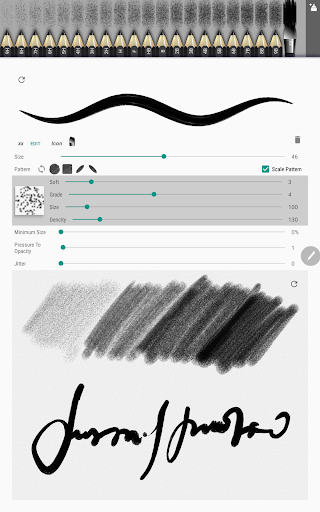
- Introducing Pencils Set: you can have set of pencils with different features each.
- Pencil (Brush) Redactor: change pencils characteristics in powerful redactor.
- Input Dimensions text.
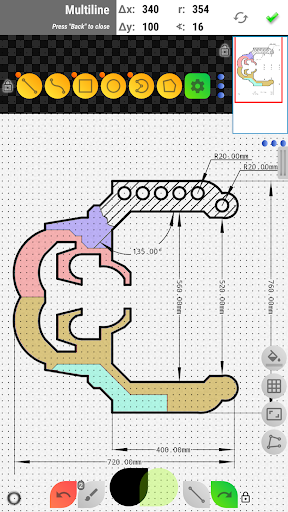
- Optimized Multiline tool, now can build line with any basic shape continuously,
Manual points positioning (scalar and radial coordinates)
- Added free and radial selection tool.
- Drawing engine optimization.
- UI improvement.
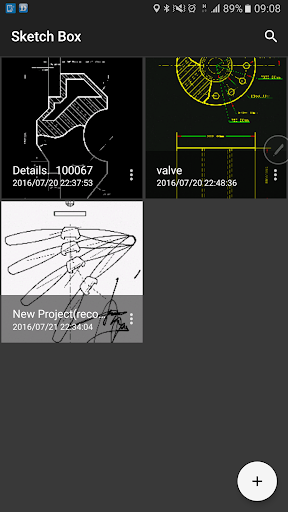
Sketch Box is projects based application.
You can create projects from 3 sources
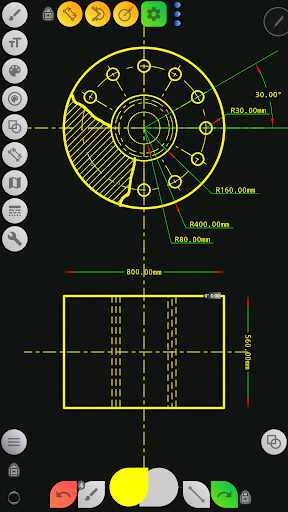
- New project from scratch: has predefined Themes (Black and White, Dark, BluePrint and REM)
- Project from Online Maps snapshot
- Project from device Gallery
Keep and reuse projects anytime later, duplicate and share it.
Layers support:
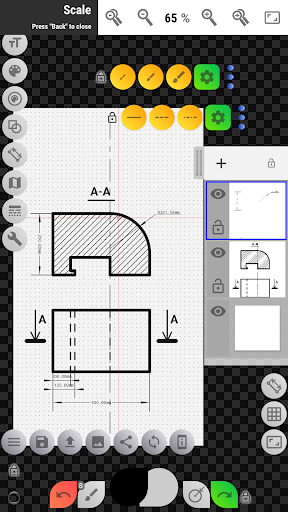
- Up to 6 layers (Pro version)
- Lock Layer
- Layer Opacity control
- Duplicate Layer
- Clear Layer
- Delete Layer
- Merge to down and merge all.
What it has:
- Wide range of Basic shapes like Lines, Rectangles, Ovals, Arcs to create sketches for any tasks.
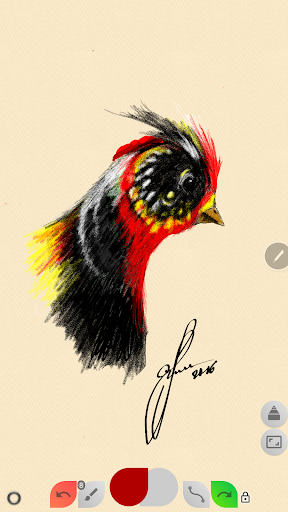
- Set of predefined Brushes for free hand drawing.
- Grid tool for precise technical sketching.
- Dimension tool for quick dimensioning (linear, angular, radius).
- Scale tool for setting scale ratio of drawing.
- Flood filling Tool.
- Hatching tool -hatch areas just with one touch!
- Text Tool.
- Elements Color control panels, support colors history.
- Copy tool: copy parts of the drawing, and paste it multiple times anywhere (Use angular multi paste mode for drawing radial continuously repeating details, transfer copy between layers), support squire, oval and free selection. Now have option to save selection to device disk and reuse it later.
- Drawing Rotation tool. Move rotation center around drawing.
- Insert Images from device gallery, rotate, resize and control opacity of it (assemble more complex sketches from parts).
- Setup you working space according to your needs with flexible buttons panels. Move panels around canvas. Pin it.
- export current drawing to Gallery or share it.
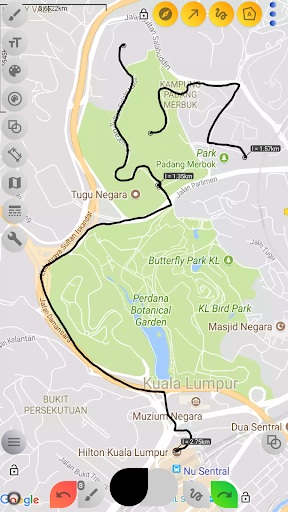
Online MAPS SUPPORT:
- Use Google maps as background for your work.
- Share your location with your comments and marking.
- Use Interactive Compass tool to bind you sketch with North direction.
- Use Vector Tool to show azimuth directly on canvas with just one move (if Compass Tool is used, will provide azimuth considering Compass North direction).
- Use Map Tools to:
- Measure distances between objects on map (odometer).
- Measure areas simply outlined it on canvas.
Enjoy sketching with Sketch Box!!!
What's New
- Enhanced odometer tool with interval markers and improved readability
- Modern square color picker with hex input/display
- Dimensions color controls (Pro version)
- Updated Maps and Gallery interfaces with bottom panels
- Removed collapsing toolbar for cleaner experience
- Multiple crash fixes
- Fixed color picker, hatch brush
- FileProvider-based sharing (removed deprecated social integrations)
- Copy tool issue resolved
Version Information
- Version
- -
- Downloads
- 10K+
- Updated on
- Oct 29, 2025
- Released
- Aug 9, 2016
- Requires
- Android Varies with device
Statistics
Google Play Rating History
Rating Distribution
Downloads Over Time
Sketch Box Pro (Easy Drawing) has been downloaded times. Over the past 30 days, it averaged downloads per day.
Shaded area shows 30-day prediction based on historical trends
Historical data collection started recently. More data points will be available over time.
Sketch Box Pro (Easy Drawing) users say on Google Play
 A Google user
Adding the pen only mode made this product for me. I just used it to create a new design. I then went and removed all other drawing apps I was trying out. Love the app, still have a lot to learn but I can do the basics stuff, I can pick up new stuff as I go. Thanks
A Google user
great app! after a few hours of tinkering around you'll think you've got it! nope try again because this app is packed with features for $3!!! however there are two features id like to see implemented, such as a copy and paste tool to make multi dimension blueprints easier. and a tool to make edges of a rectangle convex or concave... and it may be that the app already has these and I just haven't found them yet 😂 otherwise, superb app! update: Apparently they didn't feel good taking my money lol
A Google user
This app has great potential, but the documentation is really limited (basically there is a short little icon guide and some youtube videos that are too fast to follow). Their ought at least to be a forum for asking questions. I have figured out most of it through trial and error, but how on earth do I start a new project or load an old one?
A Google user
(I would like to start off saying I don't have much in the way of CAD type training or experience but I wanted to try my hand with something 2d first.) This seems like it would be a good app, if it would stop crashing within minutes of opening/reopening. The free version doesnt seem to have this problem although I only used it for a limited time before purchasing pro. I really hope they fix this as it seems like it would be a good app for mobile use.
A Google user
the app has potential, but is too buggy and frustrating to use. for instance, a very simple cad style drawing that would take 5min in autocad, takes an hour in this exercise in futility, because after that hour, it proceeds to delete your work and automatically overwrite your saved progress. Steer well clear.
ApkTrusted Ratings & Reviews
More from Colabox.NET
See more apps
Similar Apps

DreamBuild: Sketch to 3D
Paid
ZWCAD Mobile - DWG Viewer
Free

ArtFlow: Paint Draw Sketchbook
Free
GeoGebra Geometry
Free

4ART
Free

Sketchar AR Drawing Sketchpad
Free

ArcSite
Free

Huion Note : Easy note-taking
Free

Smartify: Arts and Culture
Free

Squid: Take Notes, Markup PDFs
Free

MyScript Notes (Nebo)
Free
DrawPlan
Free

ConstructionOnline
Free

DrawNote: Drawing Notepad Memo
Free

magicplan
Free

Bamboo Paper
Free
Scan this QR code to download

Forwarding you to the page at Google Play market in seconds...
Open Google Play market now