
Guru Maps — GPS Route Planner v5.9.2
Evgen Bodunov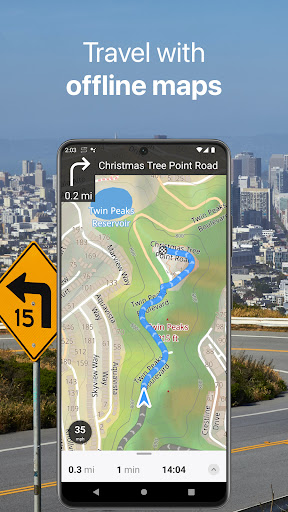
About this app
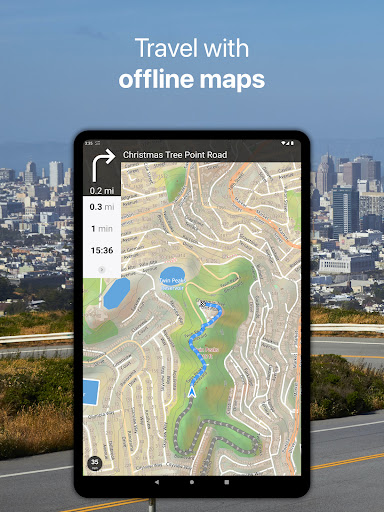
Guru Maps — GPS Route Planner solves the problem of navigation, especially in areas with limited internet connectivity, by offering offline maps, making it ideal for travelers and commuters who need reliable directions. This app benefits most those who frequently travel to new locations or live in areas with poor internet coverage. Compared to alternatives in the Travel And Local category, Guru Maps stands out with its offline capability and lack of ads, but may fall short in terms of the breadth of its map coverage. Its high user rating and significant download numbers indicate a well-received and reliable application.
Pros
- With over 1,000,000 downloads and a 4.4/5 user rating, Guru Maps demonstrates strong social proof and a high level of user satisfaction, indicating a reliable and effective navigation tool.
- The app's offline capability is a significant advantage, allowing users to navigate even in areas without internet access, which is crucial for travel and commuting.
- Guru Maps' lack of ads enhances the user experience, providing an uninterrupted navigation experience, which is a significant pro for users who value ad-free interfaces.
- The developer's commitment to updates, as evidenced by the version history, suggests a dedication to improving and expanding the app's features and performance over time.
- The absence of any permissions requests is a notable pro, indicating that the app does not collect unnecessary user data, enhancing user privacy and security.
Cons
- One concern is the potential limitations in map coverage and updates, which could affect the app's usefulness in less frequently traveled areas or regions with rapid infrastructure changes.
- The in-app purchase model, with prices ranging from $2.99 to $89.99, might be perceived as aggressive or costly for some users, potentially limiting access to full features for budget-conscious users.
- Some users might find the need to purchase additional features or maps a drawback, especially if they are accustomed to fully inclusive navigation apps.
- The app's effectiveness could be impacted by the device's GPS capabilities and internet connectivity when downloading maps, which might not be within the app's control but could affect user experience.
Best for: The ideal user for Guru Maps — GPS Route Planner is likely an individual who frequently travels, either domestically or internationally, to areas with unreliable internet access, and values offline navigation capabilities, such as backpackers, commuters in rural areas, or professionals who need to travel to new locations regularly.
Developer Description
Get a map before your next journey and navigate with confidence even offline.
Offline Maps
• High-resolution & based on OpenStreetMap (OSM) data.
• Updated monthly with the most-recent fixes and additions.
• Adjustable font size of the labels for better readability.
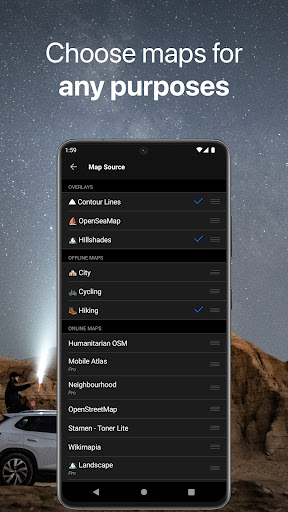
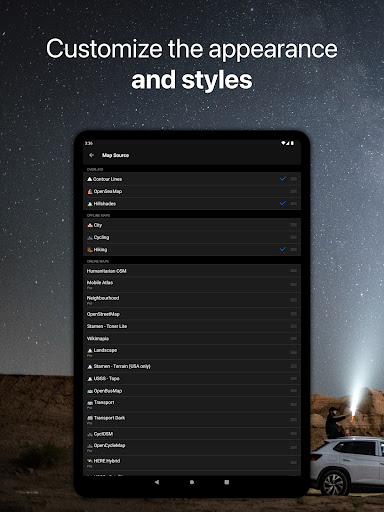
• Multiple custom map layers can be shown above the base one (GeoJSON support).
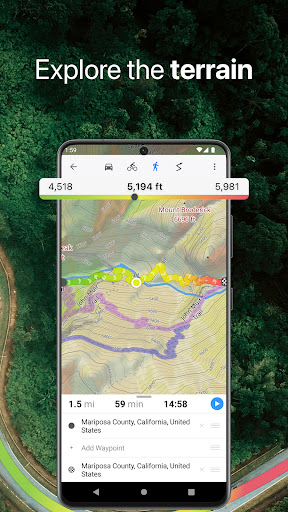
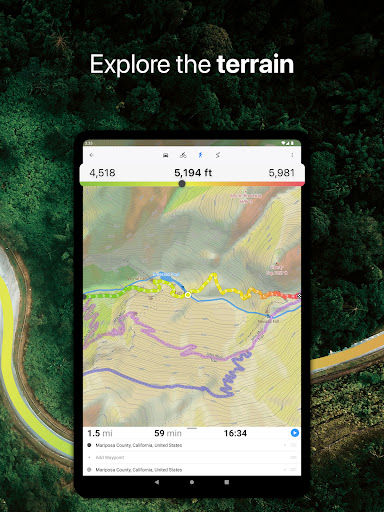
• Hillshade, contour lines and slope overlays for relief visualisation.
Offline Navigation
• Turn-by-turn voice-guided driving directions with alternate ways.
• Multi-stop navigation with the route optimization feature (circuit route planner).
• Voice instructions while navigating available in 9 languages.
• Routes for Driving/Cycling/Walking/Shortest Distance.
• Automatic rerouting gets you back along your way, even offline.
Drive Offroad
• There is an option for choosing the type of bike to build the perfect route, given the pavement (road surface): road, city, touring, mountain (MTB), trekking or gravel bikes.
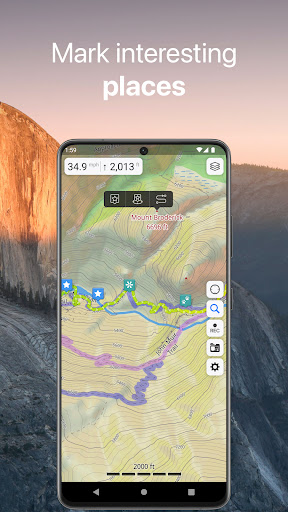
• Plan an off-road overland trip in your 4x4 vehicle (quad, ATV, UTV, SUV, jeep) or moto, relying on topographic data in order to avoid trickier terrain. Find trails, campsites, adequate gas stations and other destinations along the route, even during an offline mode.
• The trip monitor shows the orientation (compass), accurate speed in mph, km/h or knots units (speedometer), distance (odometer), bearing line and azimuth during the trip. The app collects data from multiple satellites orbiting the Earth.
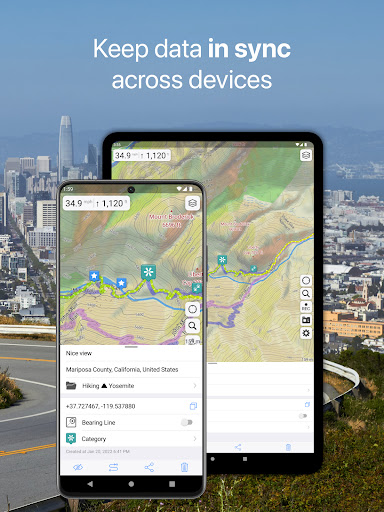
Synchronization
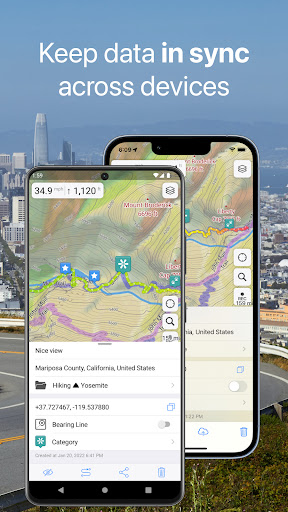
• Seamless sync your data across multiple iOS/Android devices as long as they are authorized with the same account.
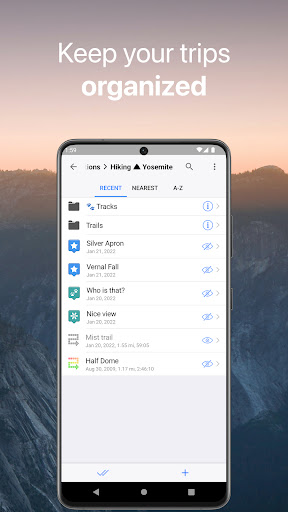
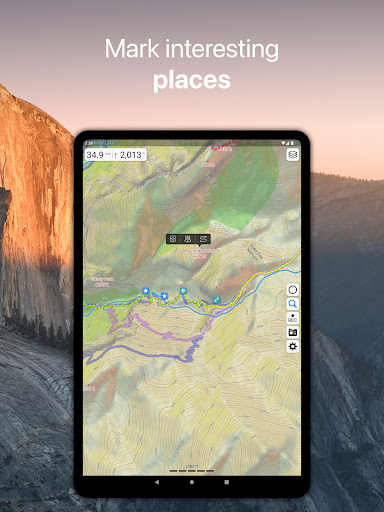
• All the data such as saved places, recorded GPS tracks and created routes will be synced on all your devices on both OS platforms.
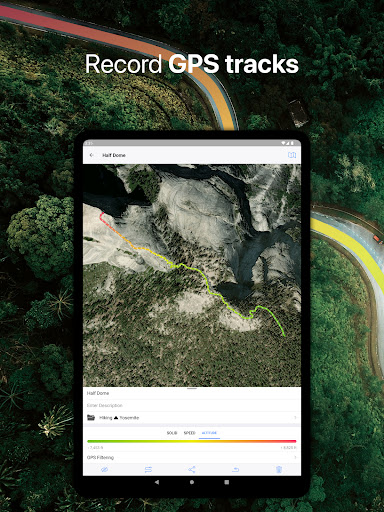
GPS Tracker
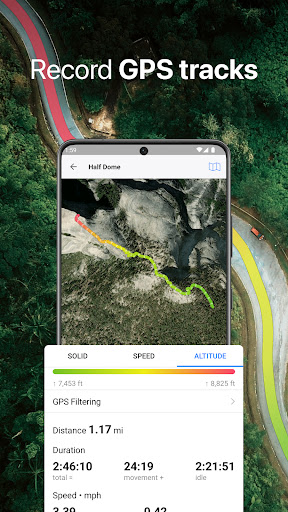
• Track the exact location of your phone & tablet real time.
• Record your footpath even when the app is in the background.
• Monitor detailed statistics of your ride: current speed, distance, time traveled, altitude.
• Choose from seven solid track colors, or altitude and speed gradients.
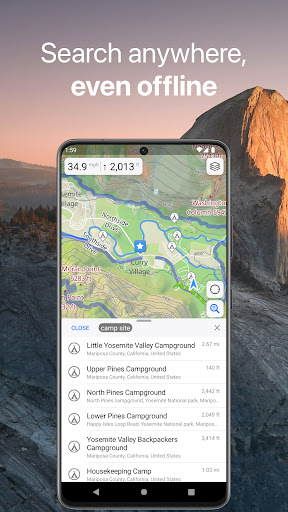
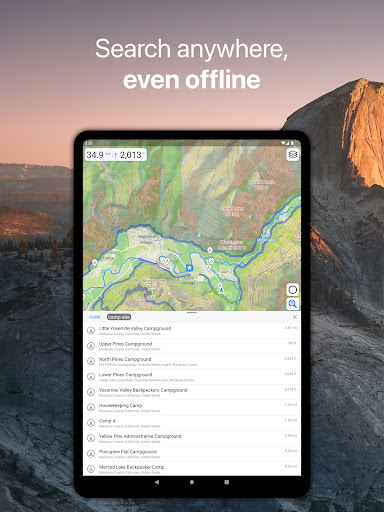
Offline Search
• Incredibly fast – results appear instantly as you type.
• Searches simultaneously in multiple languages, making searching easier than ever.
• Search in a variety of ways – by address, object name, category, or even by GPS coordinates. Supported coordinates formats: MGRS, UTM, Plus codes, DMS, latitude & longitude (decimal degrees (DD), degrees and decimal minutes, sexagesimal degree).
Online Maps
• Pre-installed online map sources: OpenCycleMap, HikeBikeMap, OpenBusMap, Wikimapia, CyclOSM, Mobile Atlas, HERE Hybrid (satellite), USGS - Topo, USGS - Satellite.
• Even more sources available for adding: OpenSeaMap, OpenTopoMap, ArcGIS, Google Maps, Bing, USGS etc from here: https://ms.gurumaps.app.
Supported File Formats
Support for a variety of file formats, including:
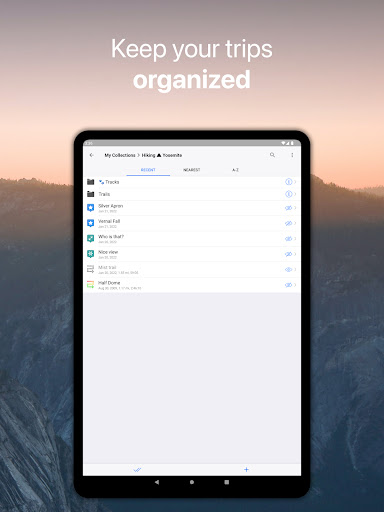
.GPX, .KML, .KMZ - for GPS-tracks, markers, routes or whole travel collections,
.MS, .XML - for custom map sources,
.SQLiteDB, .MBTiles - for offline raster maps,
.GeoJSON - for overlays.
PRO Subscription
• With a pro subscription, you'll have access to unlimited markers, GPS tracks, and offline map downloads, as well as additional sources and file formats.
• Without subscription it’s possible to create up to 15 pinned places, record up to 15 tracks and have only 3 vector countries (regions) downloaded on your device.
• Choose from monthly, yearly, or one-time purchase (aka lifetime license) options.
Privacy
Given that Guru Maps requests no permissions, it appears to prioritize user privacy, and there are no obvious red flags regarding data collection. However, users should still be cautious when downloading maps and ensure they have sufficient storage space. It's also advisable to keep the app updated to ensure any security patches are applied.
Tips
To get the most out of Guru Maps, users should first download the maps for the areas they plan to visit before heading out, ensuring they have offline access. Additionally, regularly checking for app updates can provide access to new features and improved performance. For optimal battery life, users can consider downloading maps over Wi-Fi and using the app's power-saving features.
What's New
• Bug fixes and performance improvements.
In-app purchases
$2.99 - $89.99 per item
Version Information
- Version
- 5.9.2
- Downloads
- 1M+
- Updated on
- Nov 24, 2025
- Released
- Aug 21, 2015
- Requires
- Android 5.0
Statistics
Google Play Rating History
Rating Distribution
Downloads Over Time
Guru Maps — GPS Route Planner has been downloaded times. Over the past 30 days, it averaged downloads per day.
Shaded area shows 30-day prediction based on historical trends
Historical data collection started recently. More data points will be available over time.
Guru Maps — GPS Route Planner - Google Play Rankings
Top Rankings
| Rank | Country | Category | List | Change |
|---|---|---|---|---|
| — |
Ranking History in
No ranking data available yet. Rankings are updated daily.
#16 in Top Grossing Travel And Local in Brazil


#22 in Top Grossing Travel And Local in Indonesia


#23 in Top Grossing Travel And Local in Argentina


#24 in Top Grossing Travel And Local in Mexico

Guru Maps — GPS Route Planner users say on Google Play
 jackie o
I am able to use it while in the mountains hunting...but instructions on which icon to use is kinda confusing coz it doesn't tell you exactly which one to use...it's a very good app highly recommend if your out of coverage area ..
 Jeff Stone
It is a highly detailed map app but uses too much storage space on my phone. I suggest they develop options for versions with fewer points of interest that require less storage space.
 Clarence Chief
The application offers limited utility for free use, yet it delivers extensive information. It can serve as a navigational tool, albeit with a paucity of features. The integration of AI to construct routes would be beneficial. Not all urban areas are available for download. The application's primary value lies in its inclusion of Wikipedia within the maps, making it more of a reference tool than a practical choice for daily navigation
 Jason
Jason
I upgraded to pro but my subscription is still the free version. I get an email confirmation of the pro subscription but the app won't update.
ApkTrusted Ratings & Reviews
More from Evgen Bodunov
See more apps
Similar Apps

Magic Earth Navigation & Maps
Free

OsmAnd — Maps & GPS Offline
Free

MAPS.ME: Offline maps GPS Nav
Free

Avenza Maps: Offline Mapping
Free

AlpineQuest Explorer Lite
Free

Gaia GPS: Offline Trail Maps
Free
Save Location GPS
Free

My Track
Free

GPS Essentials
Free

HERE WeGo: Maps & Navigation
Free

Karta GPS Offline Maps Nav
Free

HiiKER: The Offline Hiking app
Free

Earth 3D Map-StreetView Camera
Free

Orca: Boat GPS, Charts, Routes
Free

PeakVisor - 3D Maps & Peaks ID
Free

Compass & Altimeter
Free
Scan this QR code to download

Forwarding you to the page at Google Play market in seconds...
Open Google Play market now