Root Explorer v4.12.8
Speed Software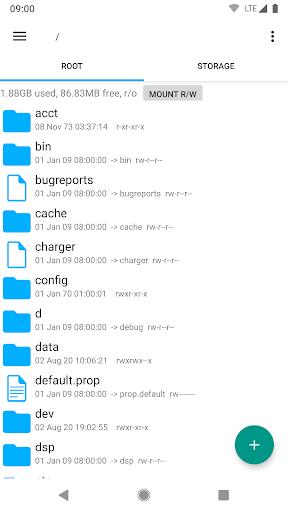
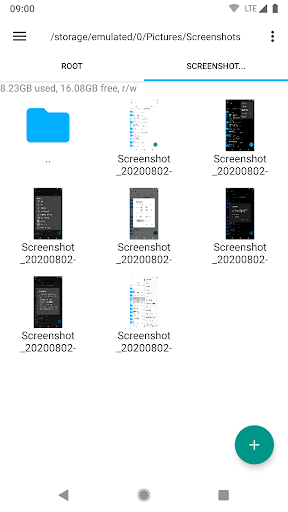
About this app
Developer Description
The ultimate file manager for rooted devices. The original and still the best.
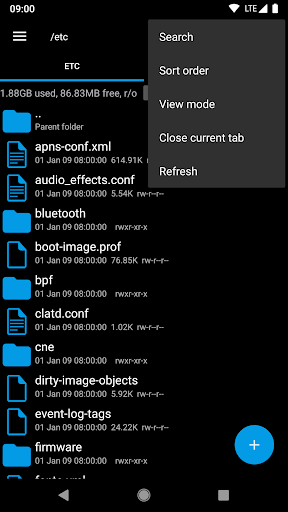
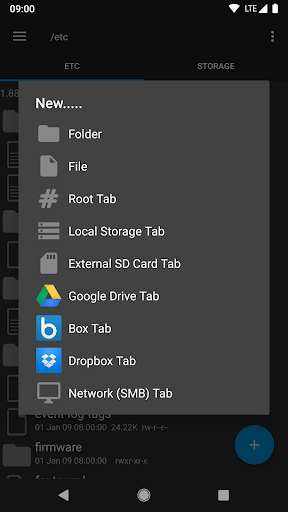
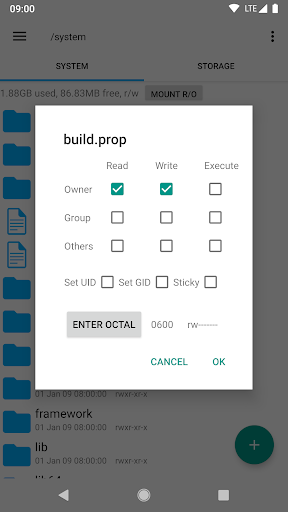
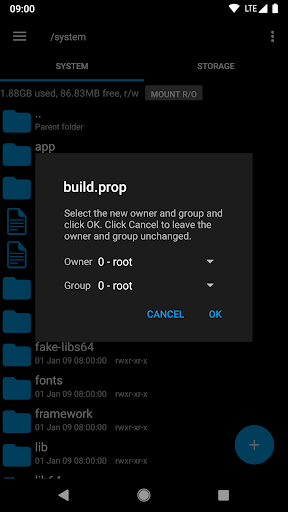
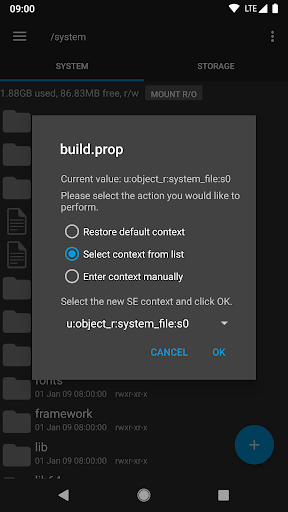
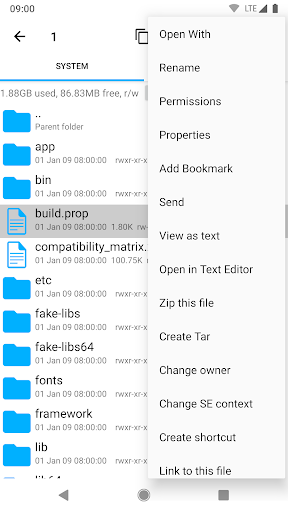
Features include multiple tabs, Google Drive, Box, Dropbox and network (SMB) support, SQLite database viewer, Text Editor, create and extract zip or tar/gzip files, extract rar archives, multi-select, execute scripts, search, remount, permissions, bookmarks, send files (via email, bluetooth etc), image thumbnails, APK binary XML viewer, change file owner/group, create symbolic link, "Open With" facility, MD5, create shortcuts.
For fast, friendly support simply email us: support@speedsoftware.co.uk
We will always try to help with any problem you may have with the app. If we can't help then you can have a refund, no questions asked.
Although 22,000+ five star ratings will tell you that most people are very satisfied customers. Make sure you read as many comments as possible to get a good idea of what most people think of the app.
We still respect the old 24 hour refund policy. So if you're not happy with the app just email us within 24 hours and you can have a refund. We'll need to know the order number, which you can find on the emails sent to you by Google when you downloaded.
Why compromise? Get the original and the best!
New permissions:
Full network access - Required for network and cloud access. No information is passed to us over the internet.
Add or remove accounts - Used by the Google Drive SDK to add a new account if desired. No changes are made to existing accounts and no details accessed apart from the account name.
Find accounts on the device - Used to list available accounts for logging into Google Drive.
Prevent from sleeping - Used to stop the device sleeping during long operations so they are not interrupted.
What's New
Version Information
- Version
- 4.12.8
- Downloads
- 1M+
- Updated on
- Jul 21, 2025
- Released
- Jan 15, 2026
- Requires
- Android 4.3
Statistics
Google Play Rating History
Rating Distribution
Downloads Over Time
Root Explorer has been downloaded times. Over the past 30 days, it averaged downloads per day.
Shaded area shows 30-day prediction based on historical trends
Historical data collection started recently. More data points will be available over time.
Root Explorer - Google Play Rankings
Top Rankings
| Rank | Country | Category | List | Change |
|---|---|---|---|---|
| — |
Ranking History in
No ranking data available yet. Rankings are updated daily.
#37 in Top Paid Productivity in United States

#19 in Top Paid Productivity in Canada

#19 in Top Paid Productivity in South Korea


#31 in Top Paid Productivity in United Kingdom

Root Explorer users say on Google Play
 A Google user
DEC 2025 : Been using for root operations since 2011. Previous: Root Explorer's (RE) multiple tabs , display of permission bits and date,mount mode, sorting and overall speed make RE my choice for root operations.
 Lance Shimabukuro (GhostGuitars)
One of the first app I've ever installed, recommend by XDA on my 1st Android phone, the Galaxy SII, so MANY years ago. It's proven to be one of my core apps I ALWAYS install. Very reliable & useful. I still use it on my newest phone, the Samsung Galaxy S24 Ultra. I haven't downloaded the latest update because it removes support for Google Drive. I regularly use that feature to transfer files to/from there!!! 😡 Strike one star for that!
 Dr. Nugroho
Edit: The recent update confused me. Now there are the dot-thrash (.trash) files if the hidden files are unhide. How do you remove them in one step? Among the best in the past. Other recommendation: Let the tab stay in place when pressing back button, I.e. not go back to root folder.
 anon machina
20250910 This file manager STILL lacks the ability to display thumbnails of .webp files...in 2025...dispiriting. 20250909 Whenever I copy-paste a name to an image file (that apparently has an invalid character?) I end up with a question mark in place of said character, and I cannot rename (nor view) the image file. Oddly, I can view and rename the file when I connect my phone to my WINblows 10 computer. I can also view and rename the file...in another ANDROID file manager.
 Idaho Native
Does not work with latest Android and USB drives. Takes forever to load them if it does and usually fails copying. Other apps work fine so I don't think it's my setup.
ApkTrusted Ratings & Reviews
More from Speed Software
See more apps


Similar Apps

ASTRO File Manager & Cleaner
Free

Total Commander - file manager
Free

Lib of Dev (Open Source)
Free

Super File Manager Explorer
Free

AppDash: App Manager & Backup
Free

Swift Backup
Free

CSV File Viewer - Smart CSV
Free

Samsung My Files
Free

Storage Analyzer & Disk Usage
Free
FX File Explorer
Free
Cx File Explorer
Free

File Manager
Free

File Manager
Free

EX File Manager
Free

1Tap Cleaner (clear cache)
Free
Electrical Calculation PRO
Free
Scan this QR code to download

Forwarding you to the page at Google Play market in seconds...
Open Google Play market now