DS finder v2.5.5
Synology Inc.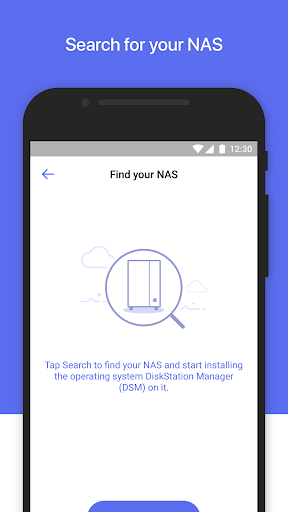


About this app
Developer Description
An easy way to monitor the status of your Synology DiskStation when on the go
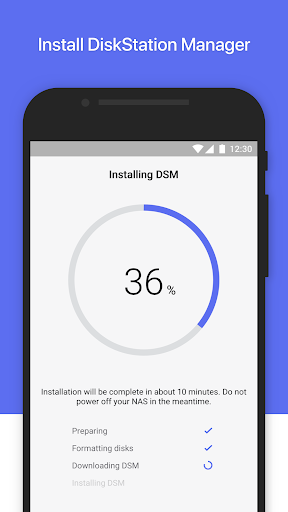
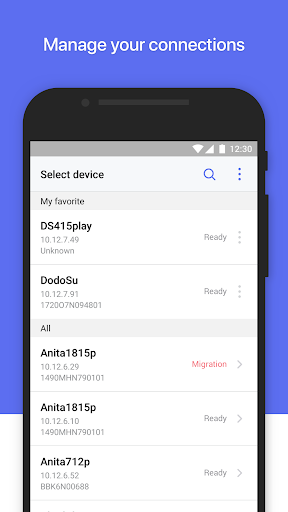
DS finder allows you to set up and manage your Synology NAS, sends you NAS-related notifications, and opens your door to the world of Synology apps. And yes, all these features can be accessed directly from your phone, so wave goodbye to complicated setup and management with DS finder!
1. DS finder supports on most models (rack mount models, desktop models of FS and XS series, and EDS14 excluded).
Find all detailed features about the app on our website:
https://www.synology.com/dsm/7.0/software_spec/dsm#affiliated_utility__ds_finder
What's New
1. Fixed an issue where users might not be able to sign in via QuickConnect on Android 15.
2. Minor bug fixes.
Version Information
- Version
- 2.5.5
- Downloads
- 1M+
- Updated on
- Oct 21, 2025
- Released
- Jul 26, 2011
- Requires
- Android 8.0
Statistics
Google Play Rating History
Rating Distribution
Downloads Over Time
DS finder has been downloaded times. Over the past 30 days, it averaged downloads per day.
Shaded area shows 30-day prediction based on historical trends
Historical data collection started recently. More data points will be available over time.
DS finder users say on Google Play
 Alex Nguyen
Edit: latest update is cr@p! Where's the wol option gone?? Reverted to previous version and will avoid any updates...... Useful app. Synology support confirmed that you need to delete your nas and then re-add it in the app. Wol then works and I've just done it so can confirm it. 😃
 Adam Green
Nice app, but missing major functions. For the very basics, it is a very good app, but once you want to do a little more, it is quickly inadequate. Although you can see packages, you are almost certainly required to log into a desktop machine just so you can click an extra box. The desktop mode has been greatly improved, though there are still hard to use functions - like reordering items in lists - I can only do this in a desktop browser.
 Anthony Iaboni
Limited functionality. I wish I could edit all control panel settings if logged in with an admin account. And what's worse is that the desktop view won't resize, so it's basically unusable. You're better off logging in using your browser instead of this app if you need to access the NAS.
 KornShaDoW097
It's good except for the huge fact on a mobile, desktop mode enlarges windows and you can't read them. If you tap the button to make the screens resizable they don't resize... So you're left with info you can't see and is cut off. Makes it useless for a drive repair.
 Nick
Nick
This app is utterly useless. When you need to adjust security settings, like adding a certificate or what have you, you need to use desktop mode. Going in to desktop mode is absolutely useless. Can't move the screen anywhere with my pixel 6 pro. Nor can I go into landscape mode. Very disappointed with this. Only had my DS220+ for a week and already thinking of returning it.
ApkTrusted Ratings & Reviews
More from Synology Inc.
See more apps












Similar Apps
DAVx⁵ – CalDAV CardDAV WebDAV
Paid

AT&T Personal Cloud
Free

nzb360 - Media Server Manager
Free

Trippy Tour Guide
Free

Ajax Security System
Free

Nextcloud
Free

DREO
Free

Lib of Dev (Open Source)
Free

WeTransfer : File Transfer
Free
myBuick
Free

ATMOS : Online dive logbook
Free

Specialized
Free

pCloud: Cloud Storage
Free

Elton - The EV charging app
Free
Stream Vision 2
Free

Airthings
Free
Scan this QR code to download

Forwarding you to the page at Google Play market in seconds...
Open Google Play market now