DS photo vVARY
Synology Inc.






About this app
The DS photo app solves the problem of accessing and managing photos and videos stored on a Synology server, benefiting users who rely on Synology's network-attached storage solutions. Compared to other video players, DS photo stands out for its seamless integration with Synology devices, but falls short in terms of user ratings, indicating potential issues with performance or functionality. As a free app with no ads or in-app purchases, it provides a straightforward experience, but its low user rating raises concerns. The app's limited compatibility, only working with DSM 6.2, may also limit its appeal.
Pros
- With over 1 million downloads, DS photo has a significant user base, indicating a level of social proof and trust in the app's functionality.
- The app's integration with Synology servers provides a convenient way for users to access their media files, making it a valuable tool for those invested in the Synology ecosystem.
- The absence of ads and in-app purchases ensures a clean and uninterrupted user experience, which is a notable advantage in the video player category.
- DS photo's developer, Synology Inc., is a reputable company with a focus on network-attached storage solutions, which lends credibility to the app's development and support.
- The app requires no permissions, which is a significant advantage in terms of user privacy and security, as it minimizes potential data collection and misuse.
Cons
- The app's low user rating of 2.9/5 suggests significant issues with its performance, functionality, or user experience, which may deter potential users.
- The limited compatibility of the app, only working with DSM 6.2, restricts its use to a specific subset of Synology users, potentially alienating those with different versions.
- The lack of updates and maintenance, as indicated by the 'VARY' version number, may lead to compatibility issues and security vulnerabilities over time.
- User complaints and the low rating pattern may indicate that the app's functionality or performance does not meet the expectations of a significant portion of its user base.
Best for: The ideal user for DS photo is a tech-savvy individual or household with a Synology network-attached storage device, specifically those running DSM 6.2, who needs a convenient and integrated way to access and manage their photos and videos across devices, and values the seamless integration with their existing Synology setup.
Developer Description
(DSM 6.2 only) Browse photos and videos saved on your Synology sever
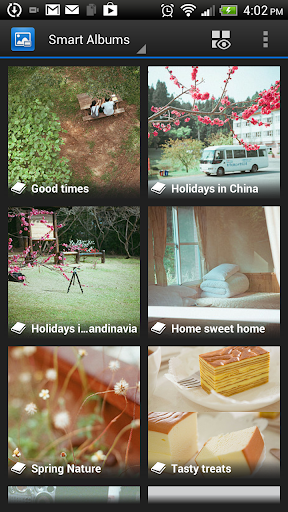
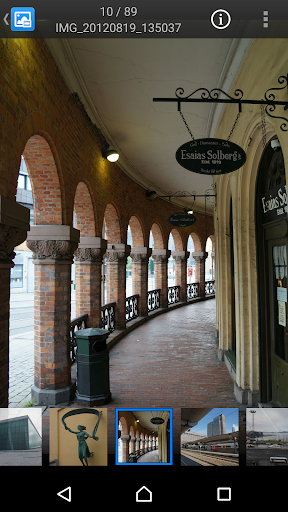
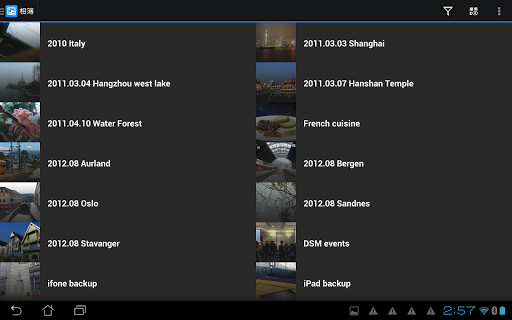
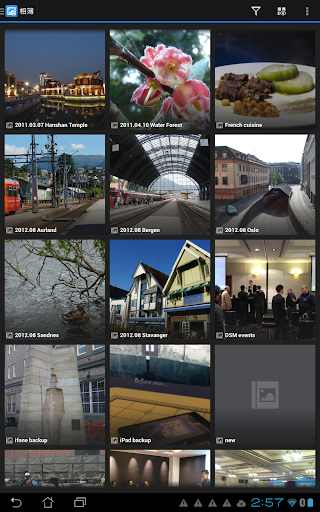
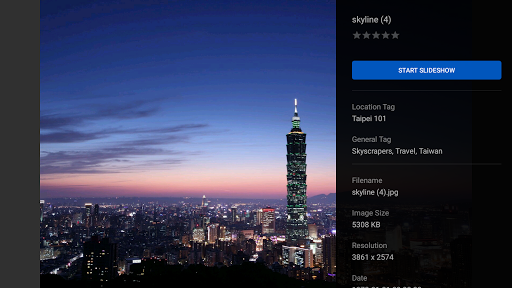
DS photo allows you to browse through the photo collection on your Synology NAS server on the go, as well as interact with friends using the comments in real time. Organizing your photos is easy: with traditional albums, using tags to create virtual albums or with a simple tap with the timeline mode! Better yet, download albums to the Android device to view them even when no network connection is available, and use the Photo Backup to effortlessly upload your photos taken with your Android device onto your own personal cloud.
Find all detailed features about the app on our website:
www.synology.com > DSM 6.0 > Mobile Apps > Software Specs
https://www.synology.com/dsm/6.2/software_spec/photo_station#affiliated_utility__ds_photo_mobile
Privacy
Given that DS photo requires no permissions, the risk of data collection and misuse is minimized, but users should still be cautious when accessing and managing their media files, especially if they contain sensitive information. It is essential to ensure that the Synology server and the device running the app are secure and up-to-date to prevent any potential security breaches. Users should also be aware of the data stored on their Synology server and take necessary steps to protect it.
Tips
To get the most out of DS photo, users should first ensure their Synology server is running DSM 6.2 and that the app is properly configured to access their media files. For optimal performance, it is recommended to regularly update the app and the Synology server, and to manage storage space effectively to prevent running out of room for new files. Additionally, users can explore the app's features to discover how to best organize and view their photos and videos.
What's New
2. Minor bug fixes
Version Information
- Version
- -
- Downloads
- 1M+
- Updated on
- Sep 6, 2021
- Released
- Jul 28, 2010
- Requires
- Android Varies with device
Statistics
Google Play Rating History
Rating Distribution
Downloads Over Time
DS photo has been downloaded times. Over the past 30 days, it averaged downloads per day.
Shaded area shows 30-day prediction based on historical trends
Historical data collection started recently. More data points will be available over time.
DS photo users say on Google Play
 Shaun Stubbins
Reviewing this in retrospect having been forced onto DSM 7 to use the total car crash that is Synology Photos. Its true that don't know how good something is until Synology arbitrarily decides you can't have it anymore! To anyone on DSM 6.2, do NOT upgrade yet. To anyone considering a Synology purchase for the purpose of photo management, hold off to see if/how they clear up this mess of their own doing.
 Sujay Vilash
It took me a while to work out how to login correctly. Initially, it kept logging into the Guest account which did not show me all my photos. But I was able to work out how to connect to the correct account. This enabled me to see all my photos and albums. Whilst the App works as it should, I think Synology need to provide better instructions on how to login correctly. My trial and error method took me the best part of 15 minutes for something that should have taken a minute at most. Haven't tested uploading from mobile but will update once I try that.
 Jaap Jansen
Used to work ok'ish. When it synced was always anyones guess. But Since a few weeks it changes the create and modified time of the files, so my pictures are now all incorrectly timed. Massive issue!
 Anton Korotkov
The app is poor as the synology PhotoStation in general - very often images are not available on the phone (blank arrows instead), images are not rotated automatically and it cannot be done in the app (of course, images contain orientation in EXIF but PhotoStation does not care), no thumbnails for videos
 Googly Dave
Flaky. Was hoping to use it to backup the photos on my phone. Just crashes all the time - no errors, no feedback at all.
ApkTrusted Ratings & Reviews
More from Synology Inc.
See more apps














Similar Apps

eZy Watermark Photos Pro
Paid

celebrate: share photo & video
Free

PhotoSpot: For Travel Planning
Free

Simple Gallery Pro
Paid

Lalalab - Photo printing
Free

Photobook: Photo Books & Gifts
Free

Photo Scan App by Photomyne
Free

Frameo: Share to photo frames
Free

Sony | Creators' App
Free

Eventer - Unforgettable Events
Free

LockMyPix Photo Vault PREMIUM
Paid

POV – Disposable Camera Events
Free

PhotoPills
Paid

PicMonkey Photo Editor
Free

FamilyAlbum - Photo Sharing
Free

Printicular: Print Photos
Free
Scan this QR code to download

Forwarding you to the page at Google Play market in seconds...
Open Google Play market now