Synology Drive v3.8.1
Synology Inc.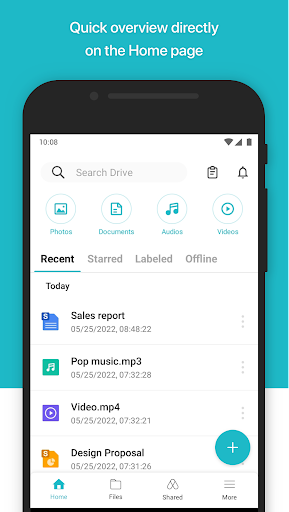





About this app
Synology Drive solves the problem of accessing and managing files on the go for users with Synology NAS devices, making it an essential tool for individuals and businesses relying on Synology's ecosystem. It stands out in the Productivity category due to its seamless integration with Synology devices and user-friendly interface. Compared to alternatives, Synology Drive's focus on NAS file management sets it apart, although its utility is somewhat niche. The app's high user rating and download numbers indicate a well-received and reliable solution.
Pros
- With over 1 million downloads and a 4.4/5 user rating, Synology Drive demonstrates a high level of social proof and user satisfaction, indicating a reliable and well-designed app.
- The app's free model without ads or in-app purchases ensures an uninterrupted user experience, aligning with the needs of users seeking a straightforward file management solution.
- Synology Drive's requirement of zero permissions is a significant advantage, minimizing potential privacy and security risks and making it an attractive option for users concerned about data safety.
- The developer, Synology Inc., is a reputable company known for its NAS solutions, which adds to the app's credibility and the likelihood of ongoing support and updates.
- The app's compatibility with Android 8.0 and later ensures that a wide range of devices can utilize the app, making it accessible to a broad audience.
Cons
- One concern is the app's limited functionality for users without a Synology NAS device, as it is primarily designed to work within the Synology ecosystem, potentially limiting its appeal to a broader audience.
- While the lack of permissions is a significant advantage, it also means that the app's functionality might be limited compared to other file management apps that require more permissions to offer additional features.
- There might be a learning curve for new users unfamiliar with Synology's interface and features, potentially requiring some time to fully utilize the app's capabilities.
- The app's dependence on a stable internet connection to access NAS files could be a drawback for users in areas with unreliable internet connectivity.
Best for: The ideal user for Synology Drive is a tech-savvy individual or business owner who already utilizes a Synology NAS device for file storage and management, seeking a convenient and secure way to access and manage their files on the go, likely within a professional or small business setting where data accessibility and security are paramount.
Developer Description
Easily access and manage files in your Synology Drive on the go
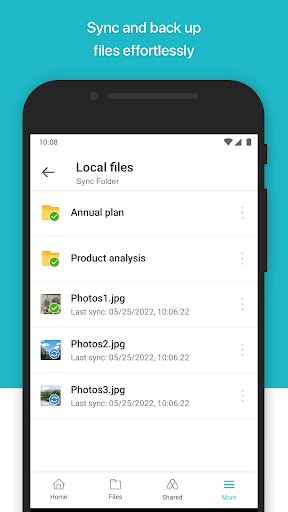
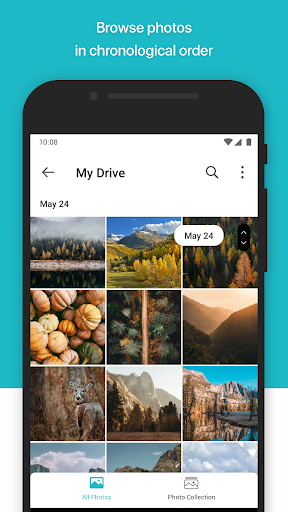
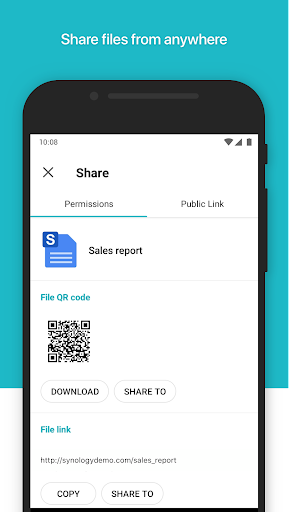
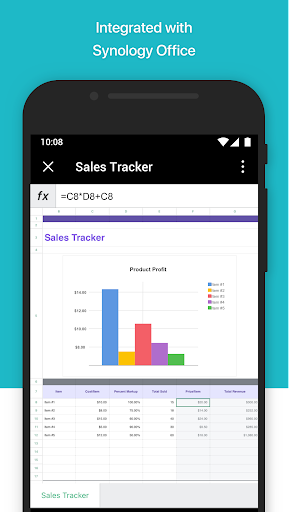
Android Drive allows you to easily access and manage files in your Synology Drive on the go. Apart from common file types, such as documents, images, videos and music, you can also open Synology Office document, spreadsheets and slides in the user-friendly viewer provided by Drive. In addition, the features of searching, sharing, moving and applying labels to files are all available on Android Device, which allows users to complete tasks efficiently anytime, anywhere.
Privacy
Given that Synology Drive requires no permissions, the risk of data collection or privacy breaches appears to be minimal. However, users should still ensure their Synology NAS device and account credentials are secure to protect access to their files. Regularly updating the app and NAS firmware can also help maintain security.
Tips
For the best experience, users should first ensure their Synology NAS is properly set up and accessible. Utilizing the app's offline capabilities for frequently accessed files can improve performance, and regularly cleaning up files can help maintain storage space. Integrating Synology Drive with other productivity apps can also enhance workflow efficiency.
What's New
1. Added support for shared labels, allowing users to organize, search, and manage files and folders collaboratively.
2. Added support for creating file requests, making it easy for users to collect files from external parties without requiring them to sign in.
3. Added support for syncing file lock status with Synology Drive web portal and desktop clients to prevent conflicts from simultaneous edits.
Fixed Issues:
1. Minor bug fixes.
Version Information
- Version
- 3.8.1
- Downloads
- 1M+
- Updated on
- Aug 15, 2025
- Released
- Oct 31, 2017
- Requires
- Android 8.0
Statistics
Google Play Rating History
Rating Distribution
Downloads Over Time
Synology Drive has been downloaded times. Over the past 30 days, it averaged downloads per day.
Shaded area shows 30-day prediction based on historical trends
Historical data collection started recently. More data points will be available over time.
Synology Drive users say on Google Play
 Arber Binaku
Going from 3 stars up to 5, since my issue with uploading documents was solved by an update and or logging out/in again. Its an easy app to use and really intuitive. Being able to do a lot of stuff on the phone and not having to open a laptop or the computer for even simple tasks is the biggest advantage having the app. All of my other synology apps work great as well.
 Jacob Ras
1. Works well, but too often on a warm start it shows "failed to connect". As soon as I kill and restart the app, it immediately connects. 2. PDF viewer is very fast but useless without a per-page view for my sheet music. 3. Selecting an mp3 while another is playing results in errors instead of it switching to the newly selected one.
 Lovedeep Singh
need to improve and add more features
 KornShaDoW097
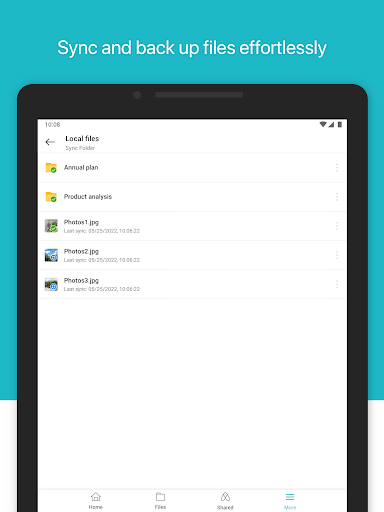
Great except you can't just tell it to make folders shareable on your pc or mobile... You have to accommodate their structure and drag and drop or create individual folders for individual sync folders.... It's super annoying. Also it stays "waiting to sync"most of the time and only randomly syncs folders -_-
 Marty Maestro
The Synology Drive Android app is utterly useless. Despite multiple attempts to connect to my NAS, it consistently fails with vague errors like 'connection error' or 'timeout.' LAN and WAN, clean cache, new phone, old phone. Yet, Chrome and Firefox on my phone log in seamlessly. The message is clear: this app is garbage.
ApkTrusted Ratings & Reviews
More from Synology Inc.
See more apps






Similar Apps

Nextcloud
Free
DAVx⁵ – CalDAV CardDAV WebDAV
Paid
Confluence Cloud
Free

Swift Backup
Free

pCloud: Cloud Storage
Free
nzb360 - Media Server Manager
Free

Send Anywhere (File Transfer)
Free

FIXD OBD2 Scanner
Free

MobiDrive Cloud Storage & Sync
Free

Ajax Security System
Free

AppDash: App Manager & Backup
Free

WeTransfer : File Transfer
Free

Total Commander - file manager
Free
BimmerCode for BMW and MINI
Free
Lenovo
Free
OfficeSuite Pro + PDF
Paid
Scan this QR code to download

Forwarding you to the page at Google Play market in seconds...
Open Google Play market now